Chat case
AI photo prompt: one idea described three ways, three pictures back, and a prompt you can reuse

A prompt for an AI photo is not a spell. It is a description a photographer could shoot from. We checked it on our test agent: one idea, a cup of coffee on a rainy morning, described three times, each time in more detail. Below are the three real pictures, what each new sentence changed, the five parts every photo prompt needs, and the step that saves the most time: sending a picture you like and getting its prompt back to reuse.
The short answer
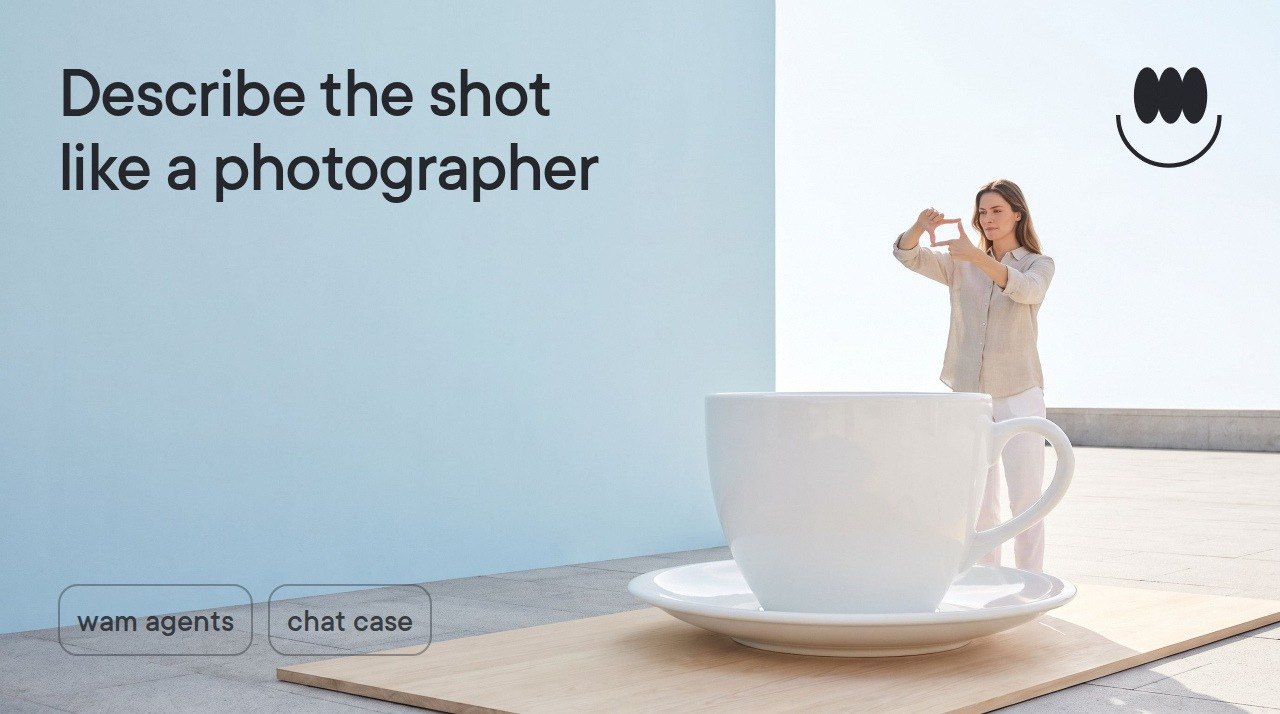
A good prompt for an AI photo is a description a photographer could shoot from. Say what is in the frame, where it stands, where the light comes from, where the camera is and what shape the picture should be. Five things, in plain words. You don't need special prompt words, weights or a list of styles.
Each of those five things takes one decision away from the generator. Write “coffee on a rainy morning” and the model picks the cup, the drink, the room, the people and the light for you. Write the scene and you get your scene. Add the camera and the light and you get your photo.
You don't have to write it alone either. Send the agent a picture you like and ask it to describe that picture as a prompt. You get a paragraph to keep and reuse for a whole series, and you change only the subject each time. For six different requests and the pictures they made, from a product shot to a sticker, see An AI image generator inside your chat: six prompts and the pictures they made.
The test: one idea, three descriptions
On 31 October 2026 we gave our test agent one idea and described it three times, each time in more detail. The person behind the requests is made up: Clara, who runs a small bookshop café and needs pictures for her newsletter. The idea is simple on purpose: a cup of coffee by the window on a rainy morning.
The agent ran on the default model, the one the Free plan uses. Every reply and every picture below is real and quoted as it arrived; we shortened nothing in the pictures and cropped none of them. After the three descriptions came two more steps: turning the best picture back into a prompt, and reusing that prompt for the next picture in the series.
Step 1. One line: “coffee on a rainy morning”
Most people start here: the idea in one line, the way it sits in your head.
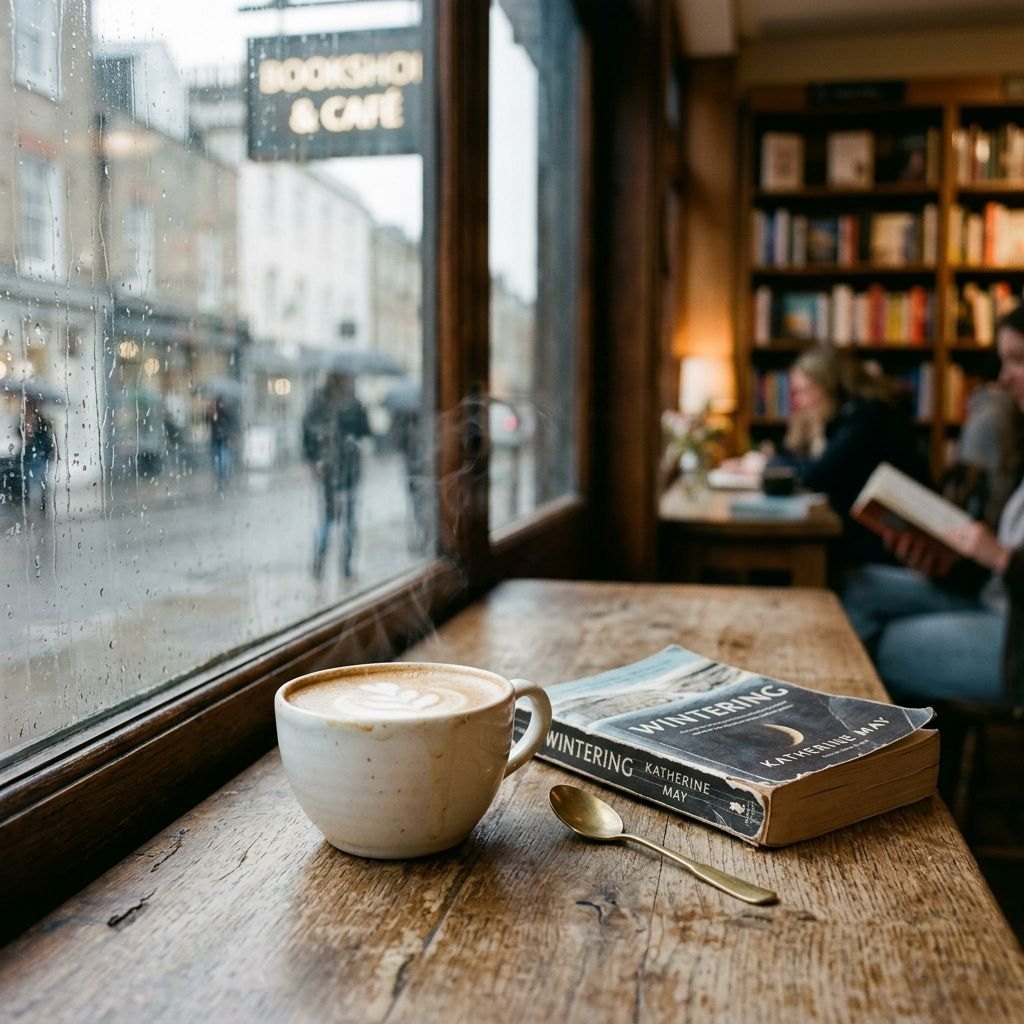
The picture came back in 21 seconds, and it is a nice picture. It is also full of decisions Clara never made. The coffee became a latte with a leaf in the foam. The window got a café sign, the street got people with umbrellas, the room got shelves and two readers. The agent even put a book on the counter, because it knew the café sells books.
None of that is wrong. It is just not hers. A one-line prompt is a fine way to see what the model imagines on its own, and a poor way to get the picture you already see. For a newsletter, where every issue should look like the same café, that matters.
Step 2. Describe the scene
The second description says what is in the frame and where. No photo words yet, just the things and their places.
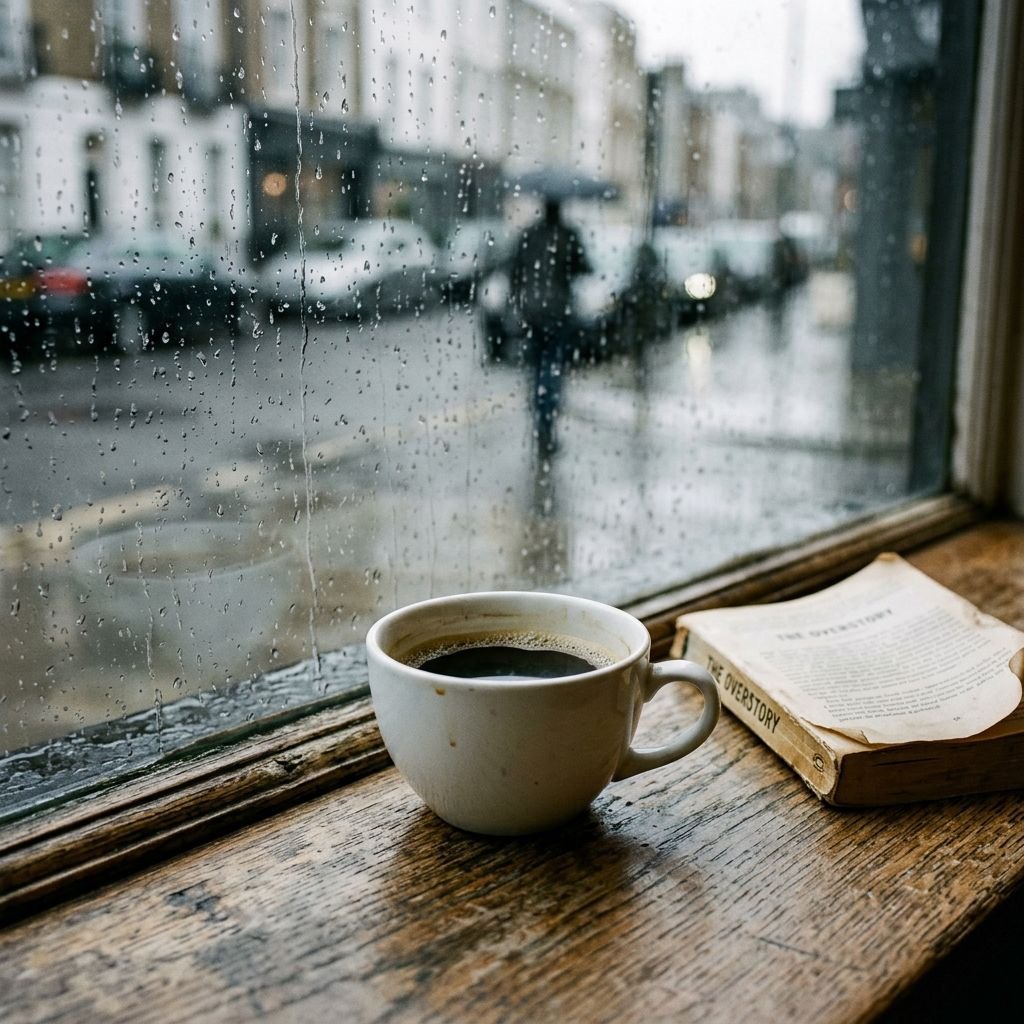
24 seconds. Now the picture is Clara's. Black coffee instead of a latte, a white cup, a windowsill instead of a counter, rain on the glass and a grey street. The room behind her is gone, because she didn't ask for one. “A real photo, not a drawing” did its job too: worn wood, marks on the cup, water running down the glass.
One small detail went its own way: the paperback lies closed. Small states like “open” are easy for a model to skip, so if a detail matters, give it a second word. “An open paperback, pages up, facing the camera” is hard to read any other way.
Step 3. Add the light, the camera and the shape
The third description keeps the whole scene and adds what a photographer decides before pressing the shutter: where the camera stands, which lens, where the light comes from, what the colours do and what shape the picture is. We wrote it as a fresh request in a clean chat, so nothing from the first two pictures could help.
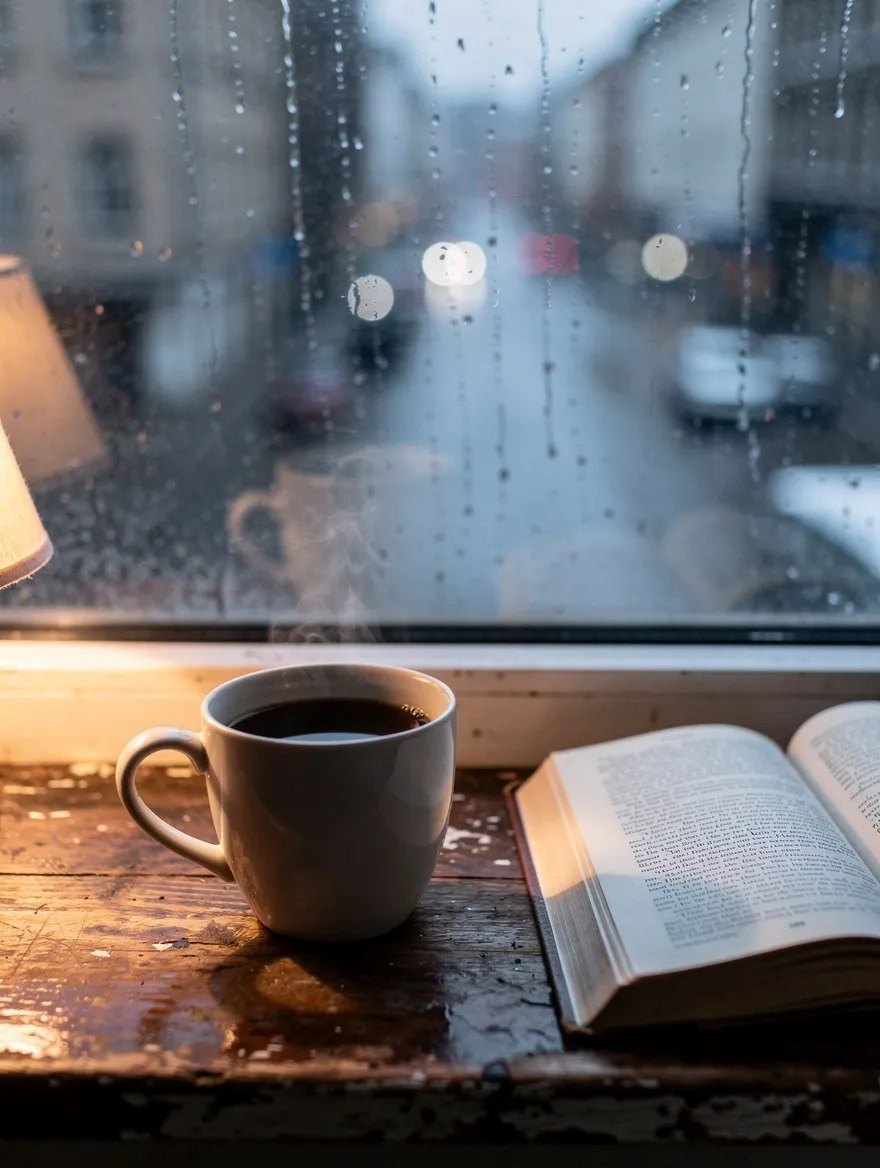
This is the picture Clara had in her head. The camera is low, at the cup. The book lies open with its pages up. The lamp sits at the left edge and warms the cup and the wood, while the window behind stays cold and blue. The street dissolves into round soft lights, the thing “shallow depth of field” means, and there is a thread of steam over the coffee. The shape is vertical, as asked.
Look at the glass, too: it holds a faint reflection of the cup, the way a real window does. Nobody asked for that. A full description doesn't make the picture stiff; it just takes the guesswork away from the things you care about and leaves the model to do the rest well.
The three descriptions side by side
| What Clara wrote | What the generator chose for her | |
|---|---|---|
| 1. One line | Coffee on a rainy morning, for a bookshop café | The drink, the cup, the room, the people, a café sign, the light, the angle |
| 2. The scene | Black coffee, white cup, windowsill, rain, grey street, an open paperback | The light, the angle, whether the book is open, the shape |
| 3. Scene, light, camera, shape | All of the above plus lamp from the left, camera at the cup, 50 mm, soft street, film grain, 3:4 | Small things: the scuffs on the sill, the reflection in the glass |
The difference between the first and the third picture is not talent or magic words. It is the number of decisions Clara made herself. All three requests are plain English that anyone could write.
Step 4. Turn the picture you like into a prompt
A description that works is worth keeping. Clara sent the third picture back and asked for it as a prompt she could paste next time.
21 seconds. The agent did more than describe the picture: it turned it into a template. The subject became a slot, [subject], and everything after it became the fixed “look” of the series: the sill, the window, the lens, the two kinds of light, the colours, the shape. It also asked the one question that matters for a series, whether the book is part of the look or part of what changes.
This works for any picture you like, not only one the agent drew: a photo from a magazine, a shot from your own feed, a frame you saved months ago. Send it, ask for it as a prompt, and you have a description in your own words that you can read, edit and reuse. For changing a photo you already have, rather than making new ones, see Edit a photo with AI right in the chat: one phone shot, three edits, before and after.
Step 5. Reuse the prompt for the next picture
The next issue of the newsletter is in winter. Clara changed two things and left the rest to the prompt.
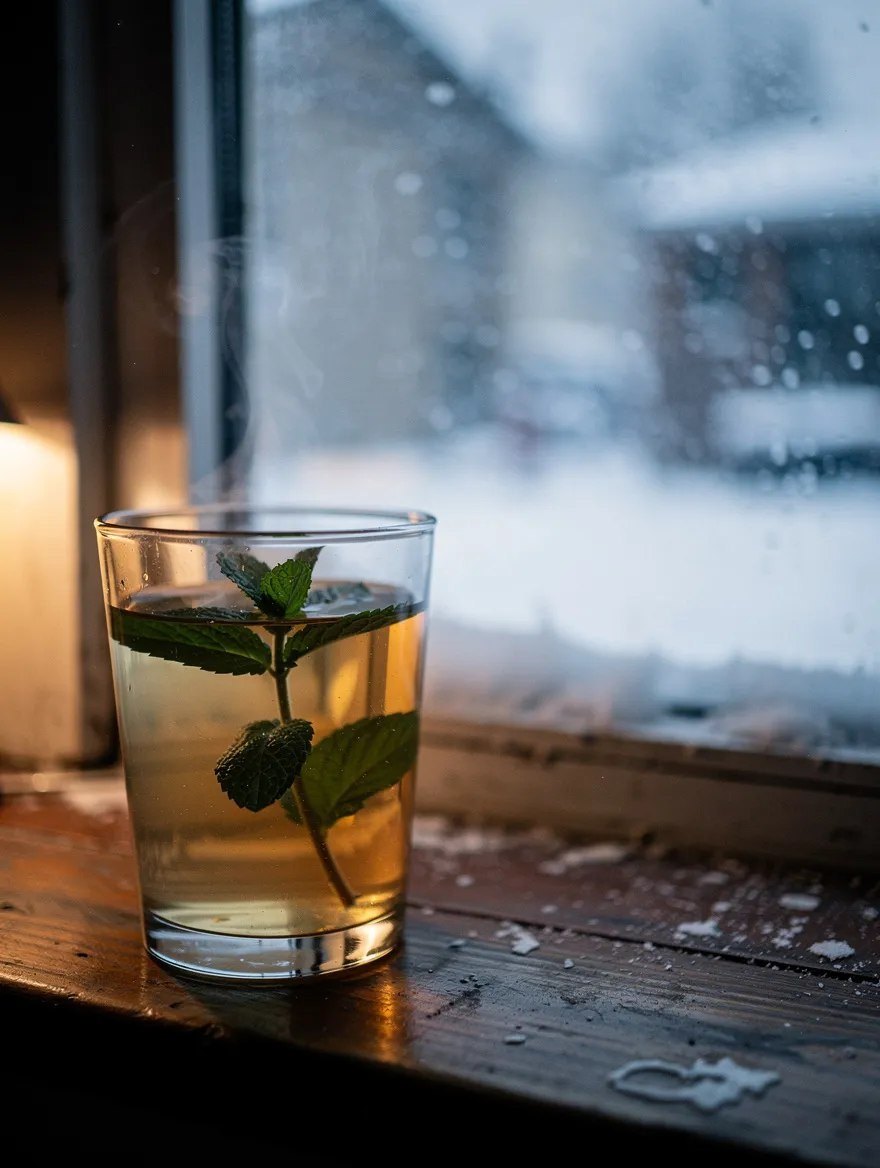
54 seconds, and the two pictures sit together like one shoot: the same sill, the same low camera, the lamp on the left, the cold window, the muted colours, the same vertical shape. Only the drink and the weather changed, exactly the two words Clara changed.
The agent also explained why the book was missing: the template treats what is on the sill as the variable, and Clara asked for tea. That is a choice to make once for the whole series, and one more line in the prompt settles it. This is the real payoff of a written prompt: next month the newsletter needs a picture again, and it takes one sentence.
A photo prompt in five parts
Put the three descriptions next to each other and the pattern is plain. Each new part of the description took one more decision away from the generator.
| Part | What to write | From Clara's test |
|---|---|---|
| Subject | What is in the frame, with one detail that matters | A white ceramic cup of black coffee, an open paperback, pages up |
| Place | Where it stands and what is behind it | A wooden windowsill, raindrops on the glass, a grey street outside |
| Light | Where the light comes from and what colour it is | Cold blue daylight from the window, a warm lamp from the left |
| Camera | Height, side, lens, how blurry the background is | At the height of the cup, from the side, 50 mm, soft background |
| Look and shape | Colours, texture, format | Muted colours, a little film grain, vertical 3:4, a real photo |
You can say all of it in everyday words. “The street is a soft blur” works as well as “shallow depth of field”; “from the side, at the height of the cup” works as well as any camera term. Photo words help because they are short, not because the model needs them.
The order is up to you. What helps is one sentence per part, so nothing gets lost in a long chain of commas, and the subject first, so it gets the most attention.
Mistakes that cost a picture
Describing a mood instead of a scene. “Cosy”, “atmospheric”, “aesthetic” leave every choice to the model. Name the things that make it cosy for you: a lamp, a blanket, rain on the glass.
Leaving the series to chance. Decide once what stays in every picture and what changes. In our test the reusable prompt treated the book as part of what changes, so the winter picture came without it. One line in the prompt makes it a constant.
Leaving one word to carry a detail. “Open” paperback, “black” coffee, “empty” table: give the important ones a second word so they can't be read another way.
Naming the format late. Say square, vertical 3:4 or wide 16:9 in the first message. A picture redrawn for a new shape is a new picture.
Writing a prompt from scratch at all. If you have a picture you like, send it and ask the agent to describe it as a prompt. For text tasks, plain words beat long templates, see AI prompts vs plain words: we sent one task to our agent as a long prompt and as a normal request. Pictures are the one place where a careful, reusable description pays off.
What stays with you
Your pictures and the chat history stay in your agent's isolated container. To answer, the agent sends requests to the model: on the default model they go through DeepSeek's infrastructure in the People's Republic of China, which you confirm during onboarding, and on Pro you can attach your own Claude or Codex.
What it costs
A generated image is 20 on the default model, and reading a photo you send is 1.5 . We read the balance in the agent's status line during the test. The picture steps took 21–22 each, the reply included. The full description in step 3 took 63 for its turn and 94 seconds: the agent put more work into that picture before sending it. Turning a picture into a prompt took a couple of magnets. All five steps came to about 130 .
The Free plan gives 200 in the first month and 100 every month after, with no card. The pricing page counts the first month as 10 images on the default model, so the whole test fits into it with room to spare. What else those free pictures are good for is in Free AI photo generator right in your chat: five photo jobs we tested and what the free plan covers. Pro costs $13.90 a month with 400 , or $1.39 for the first month if you subscribe within 7 days of signing up.
That is also the practical case for a good description: a picture you don't have to redraw is 20 saved.
Messages worth copying
Make a real photo, not a drawing: [what is in the frame], on [where], [what is behind it]. Light from [where]. Camera [height, side]. [Square / vertical 3:4 / wide 16:9].
Here is a picture I like. Describe it as a prompt I can reuse: what is in the frame, where the camera is, lens, light, colours, format. One paragraph, plain words.
Use that prompt for the next picture: keep everything the same, but [one change].
Same picture, only [warmer light / closer crop / no people in the street].
Create your agent, write the picture you see in five sentences, and keep the prompt of the one you like.
Try it with your own agent
Free, no card. The agent starts working in the chat straight away.
Create your AI agentQuestions
What should a prompt for an AI photo include?
Five things: what is in the frame, where it stands and what is behind it, where the light comes from, where the camera is, and the look and shape of the picture. One sentence each is enough. In our test the one-line prompt let the generator choose a latte, a café sign and two strangers; the full description gave back the exact cup, light and angle that were asked for.
Do I need special prompt words or English camera terms?
No. Everyday words work: “the street is a soft blur” says the same as “shallow depth of field”. Camera words are handy because they are short. The agent reads the description in any language you write in.
How do I get a prompt from a photo I like?
Send the photo to the agent and ask it to describe it as a reusable prompt: what is in the frame, where the camera is, lens, light, colours, format. In our test it took about 20 seconds and a couple of magnets, and the paragraph worked for the next picture straight away.
How do I make a series of pictures that look alike?
Keep one prompt and change one thing at a time: the subject, the season, the time of day. In our test the same prompt with mint tea and snow instead of coffee and rain gave a picture with the same window, lamp, angle and colours.
Why does the picture look different from what I imagined?
Usually because the prompt left a choice open. Everything you don't name, the model picks for you. Look at the picture, find what you didn't expect, and add one sentence about it. A second word helps for small details: “open paperback, pages up” instead of “open paperback”.
How much does one picture cost?
A generated image is 20 on the default model, and in our test a picture with its reply took 21–22 off the balance. The Free plan gives 200 in the first month, about 10 pictures, and 100 every month after, with no card.