Chat case
AI clothing photos: from two wrinkled phone shots to four catalogue pictures

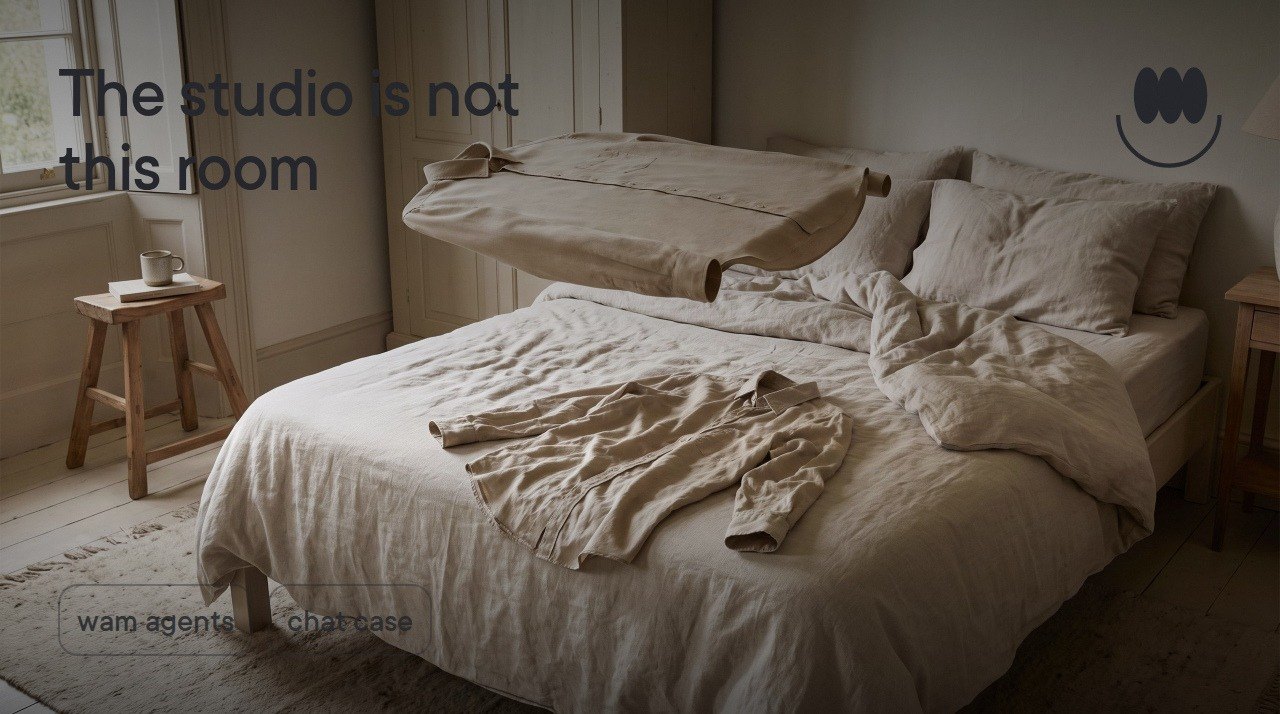
A small clothing shop does not need a studio, a mannequin or a model day to get catalogue pictures. We gave our test agent two phone photos, a wrinkled sand-colour linen shirt on a bed and a terracotta dress on a door, and asked for product shots in plain words. Below are the real replies, the pictures before and after, what the shoot cost, and the wording that keeps buttons and fabric intact.
The short answer
Send the agent a phone photo of the garment and say, in one message, what the catalogue picture should look like and which details must survive the edit. “Wrinkled shirt on the bed, turn it into a flat lay on light grey, keep the buttons and the pocket exactly as they are” is a complete request. The finished picture comes back in the same chat.
Then keep going in the same conversation. The same shirt becomes a ghost-mannequin shot, then a model shot, then the next garment arrives in the same background and light, so the grid in your shop looks like one series instead of five separate accidents.
This guide is about clothing you already have and photograph at home. For general photo edits on any object, see Edit a photo with AI right in the chat: one phone shot, three edits, before and after; for pictures generated from a text prompt, see Free AI photo generator right in your chat: five photo jobs we tested and what the free plan covers.
The test: a linen shop and a phone camera
We invented the shop. Mira sells washed linen clothing online and photographs everything on her phone at home, which is exactly the situation this article is for: real garments, no studio, no photographer.
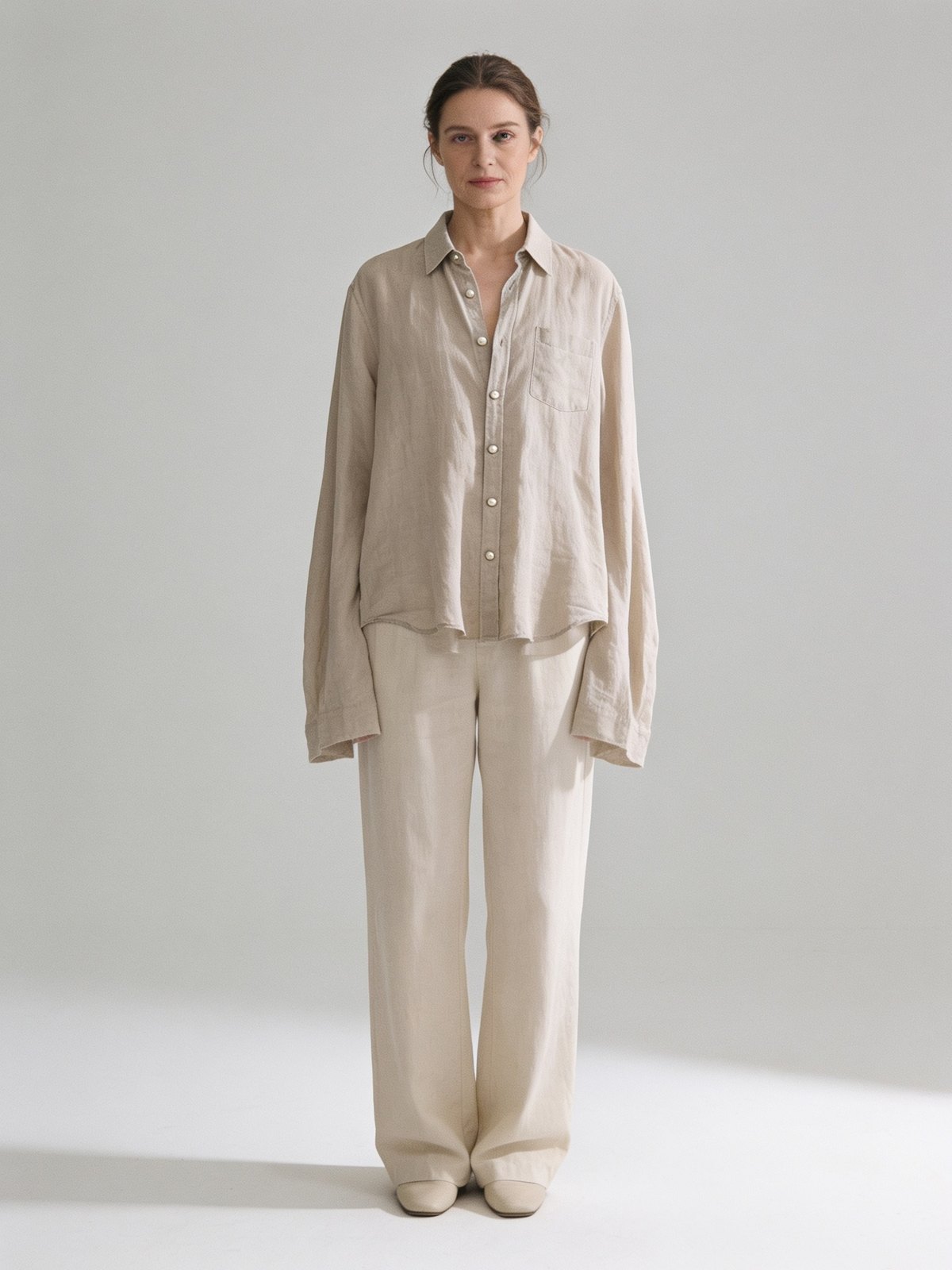
The two photos below we generated ourselves for the test, so they show no real person, no real home and no real product. Everything after them is real: on 15 November 2026 we sent them to our test agent on the default model, in English, and asked for catalogue pictures the way Mira would ask a friend who is good at retouching.
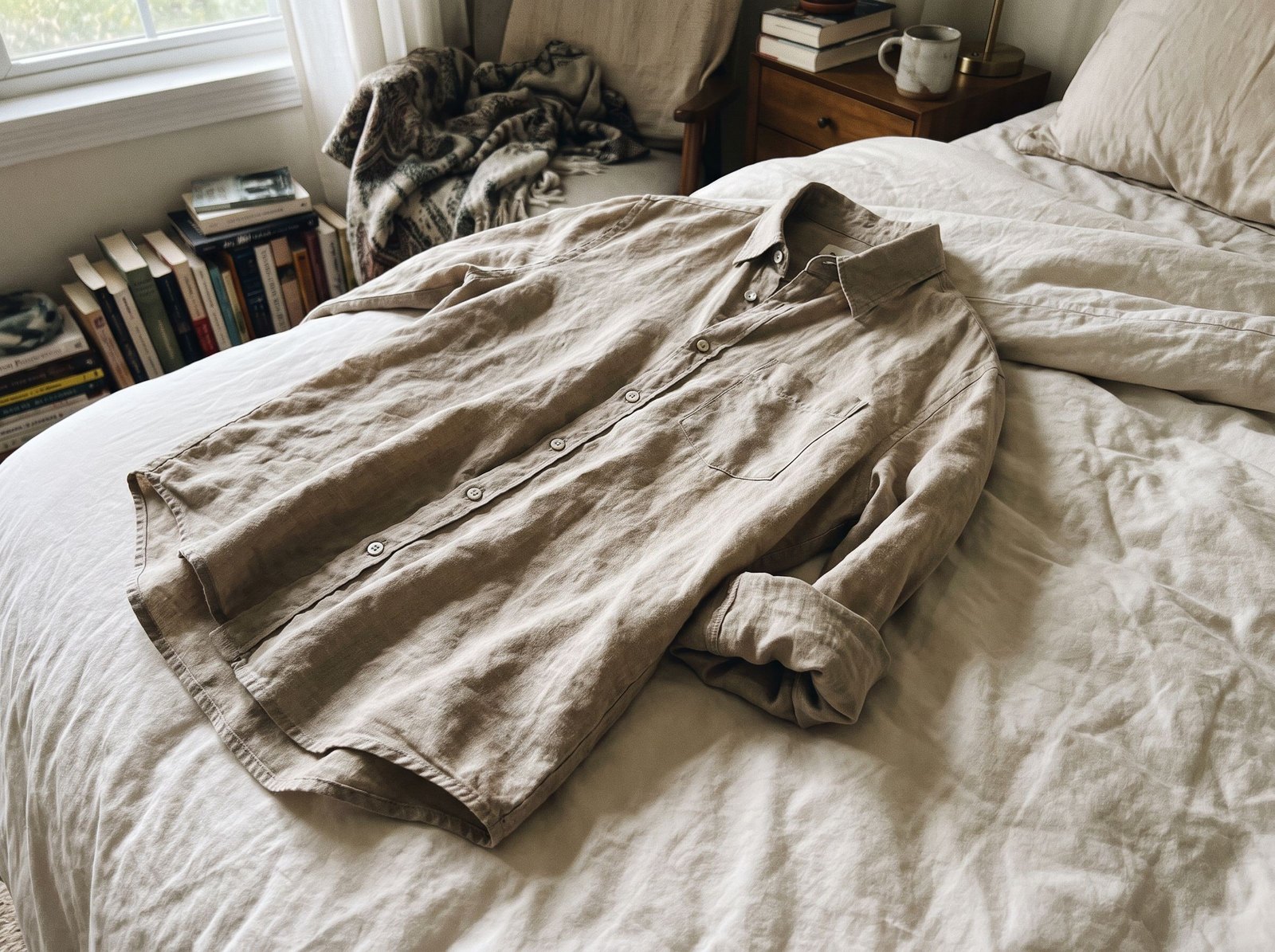
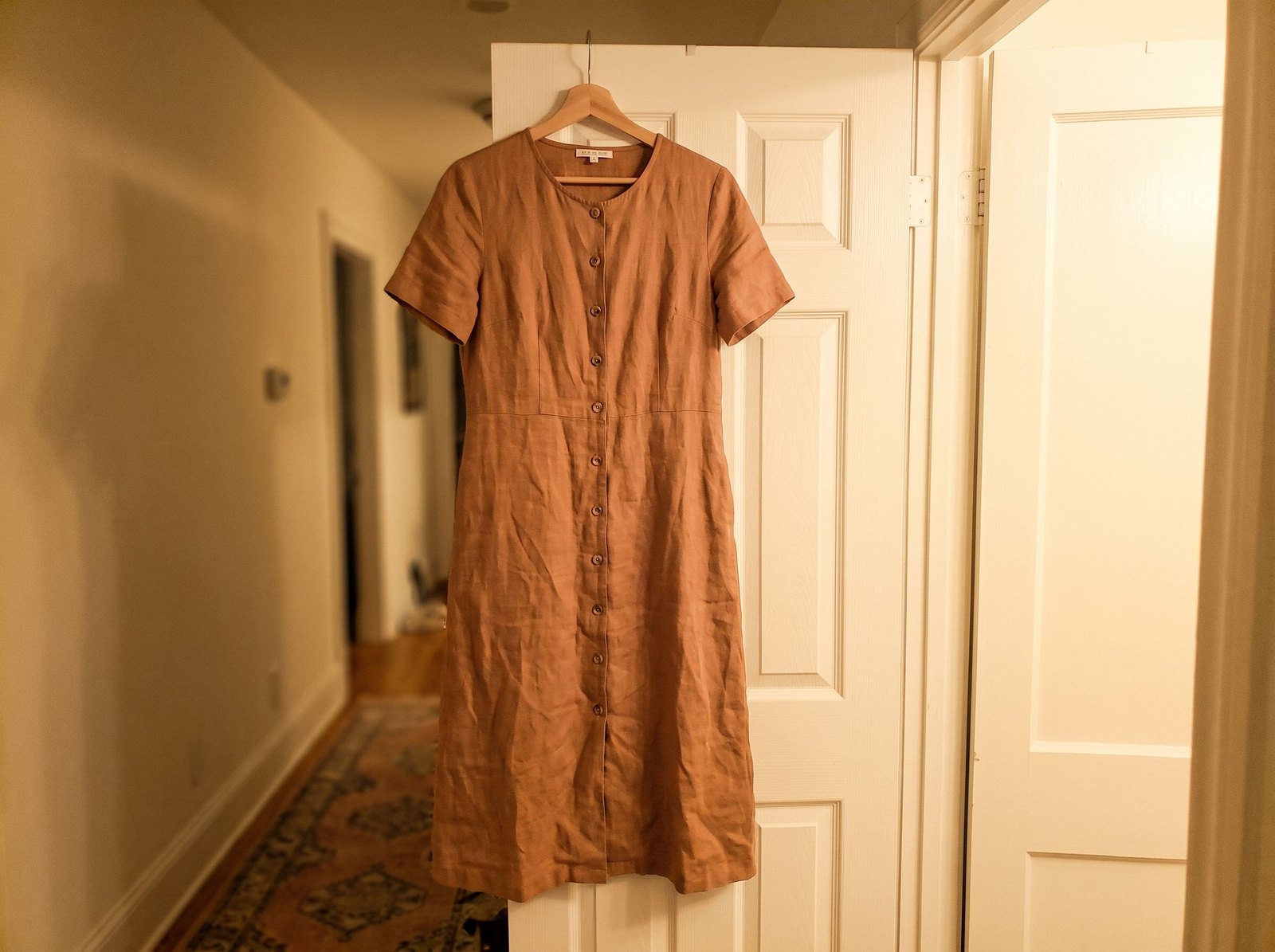
Step 1. The wrinkled shirt becomes a flat lay
The first request says what to build and what to keep:
Just under three minutes for the first picture of the series. Note the structure of the reply: the agent lists what it kept (fabric colour, six buttons, collar button, chest pocket), so the check Mira would do against the original takes seconds. The second paragraph is the part a filter app does not have: it admits the linen texture stays visible on purpose, so the shirt does not drift into plastic, and offers the full-resolution file for the actual shop.
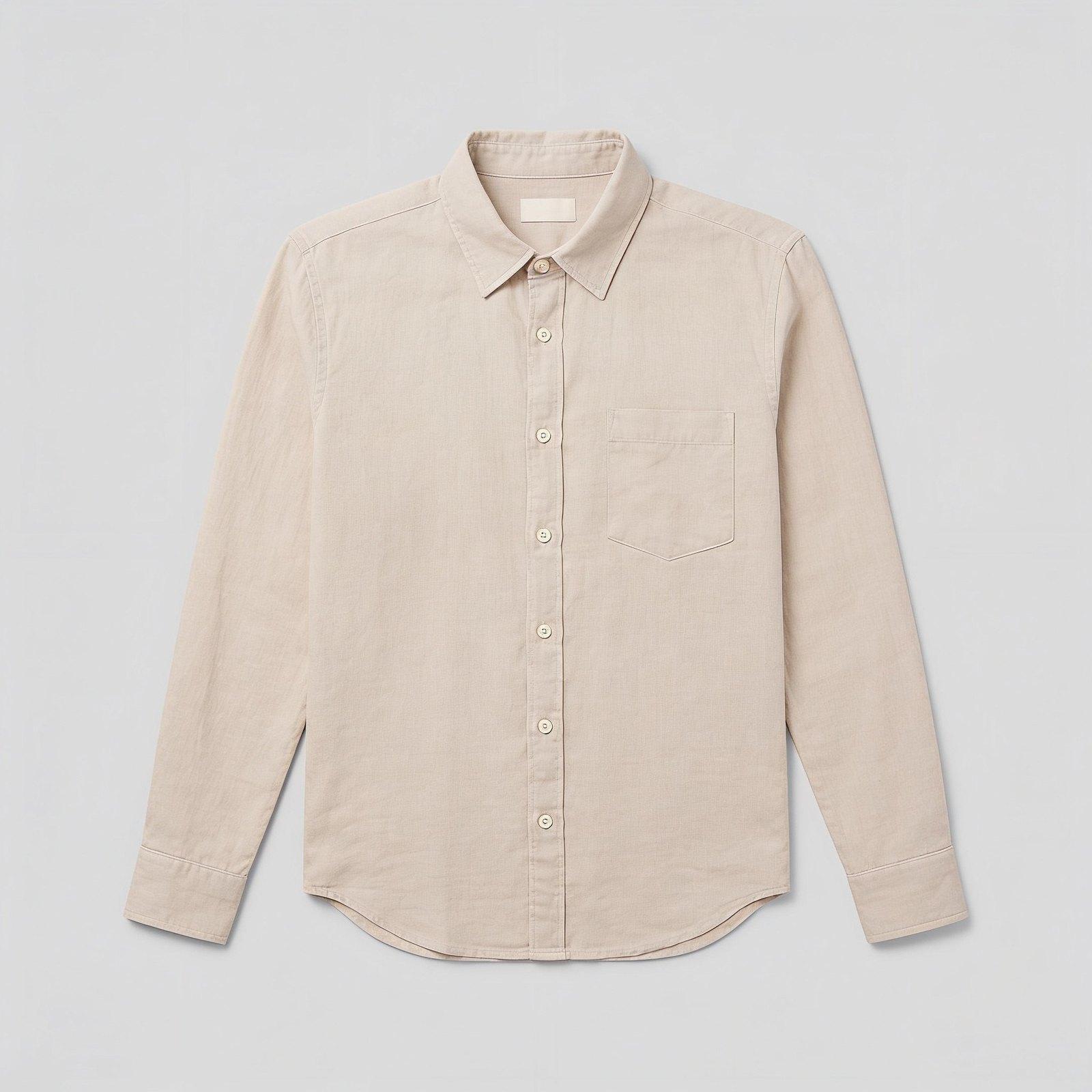
Step 2. The same shirt on an invisible mannequin
The ghost-mannequin look, a garment filled out as if worn with nobody inside, is a marketplace classic. We asked for it from the same original photo:
One detail worth stealing: the agent flagged the rolled cuffs itself and explained where they came from. A photo editor would fix that silently or not at all; here you get told what changed and why, and one more message evens the sleeves out. That is the habit that makes chat retouching safe for catalogue work: every version announces its own diff.
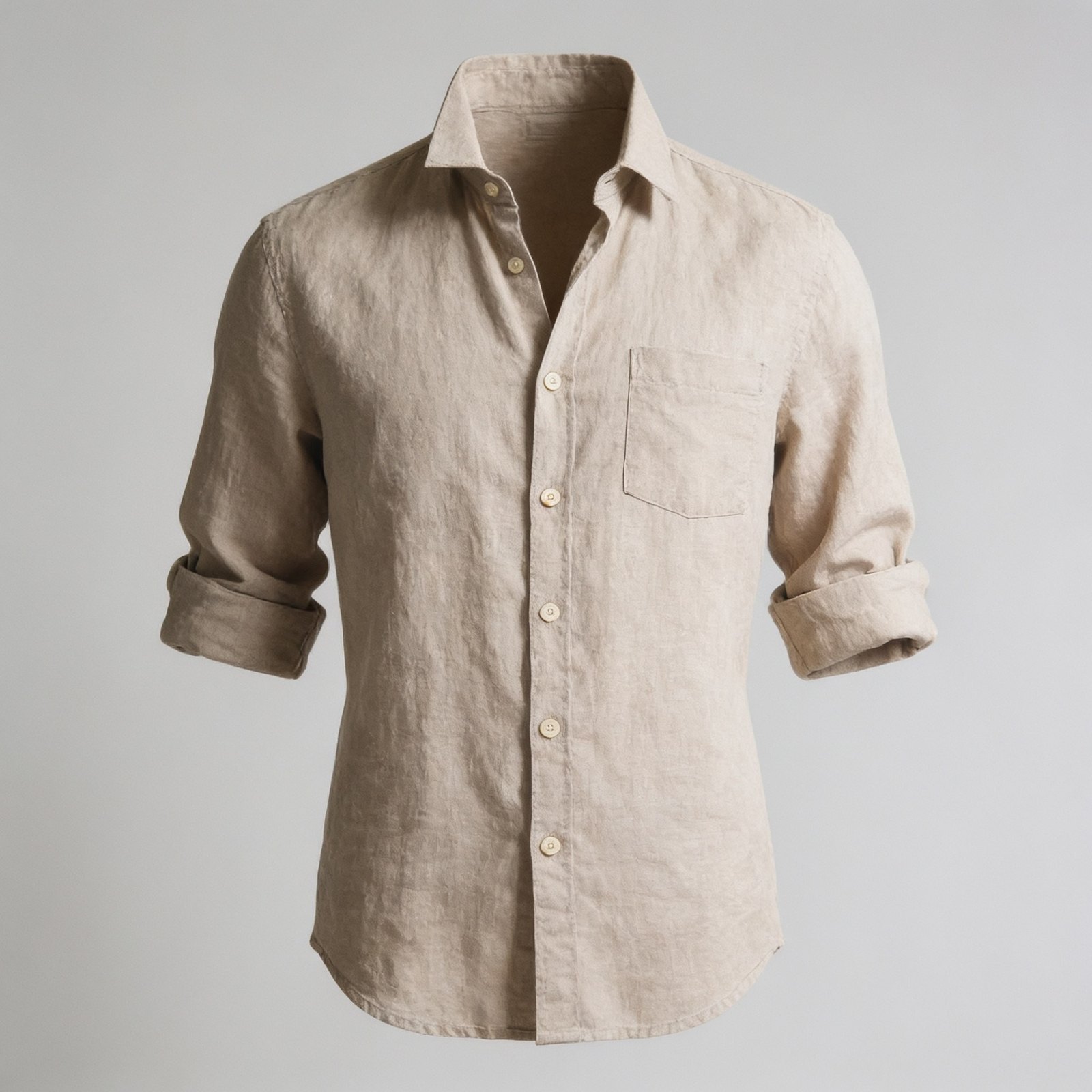
Step 3. The shirt goes to work on a model
Flat lays and mannequins cover the grid, but a shop also needs a worn picture. We described the model the way Mira would brief a friend:
The turn took about a minute and a half. What matters here is provenance: the agent says it built the picture from the original photo, and the details it lists (collar, six buttons plus collar button, chest pocket on her left) are the ones Mira shot. One shirt produced three different catalogue pictures, and the garment never changed.
Step 4. The dress arrives in the same series
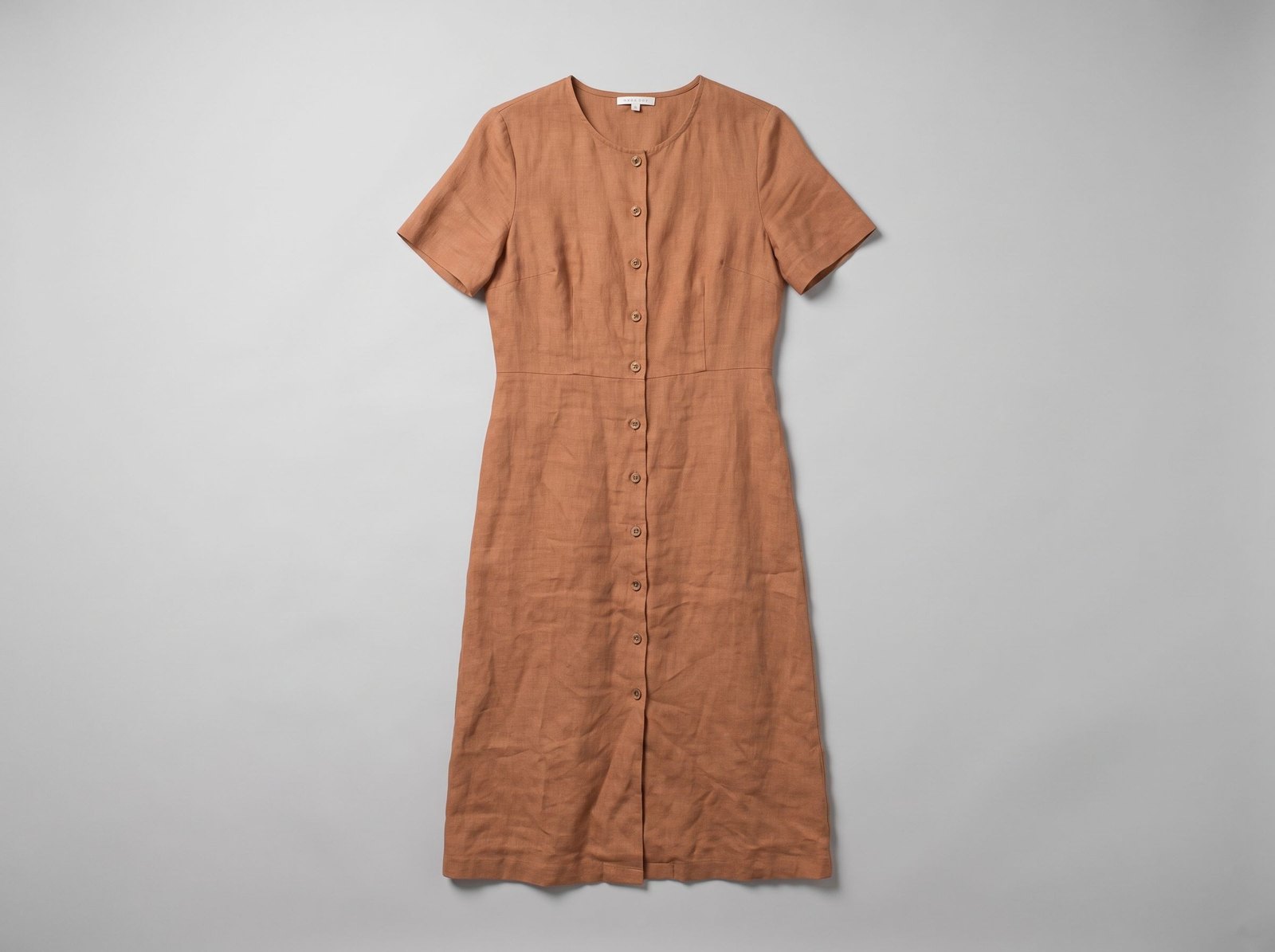
A shop grid falls apart when every picture has its own background. The fix is one sentence: make the next garment match the first. We sent the dress photo from the hallway:
The agent remembered the light direction from half an hour earlier in the conversation and repeated it: soft light from the upper left, shadow falling right, centred spacing. Two pictures taken in different rooms now share one background and one light, as if one person styled them. Two things to check before the dress goes into the grid. The file came back at 2400 × 1792, a 4:3 frame rather than the square 1:1 we asked for (the shirt is 2048 × 2048), even though the reply says “same square crop”, so ask for a 1:1 recrop in one more message. And the reply mentions a chest pocket that neither our photo description nor our request named, while the dress card lists side pockets, so compare that detail with the real dress.
The same agent in Turkish and Arabic
Mira's shop sells in more than one language, so we asked the same agent to run the listings in Turkish and then in Arabic. Nothing else changed: same shop, same garments, one request each; the second request, the one asking for Arabic, we already wrote in Turkish.
Both cards came back in under a minute each, marketplace-shaped and ready to paste: title, two-sentence description, three features, one care line. The care instructions even survived the language switch (30 degrees, inside out, no tumble dryer). If your shop sells across languages, one agent holds the catalogue and the copy in the same thread.
What came out of one shoot
From two phone photos, about half an hour of chat:
- a pressed 1:1 flat lay of the sand shirt on a seamless light-grey background;
- a ghost-mannequin version of the same shirt, no body visible;
- the same shirt on a model, full length, editorial style;
- the terracotta dress reworked into the same background and light; the file came back 4:3, so for one series with the shirt ask for a 1:1 recrop (we did not do that in the test);
- a marketplace card for the shirt in Turkish and one for the dress in Arabic.
No studio, no mannequin, no model day, no export dialog. The originals and every version stay in the chat, so going back one step is scrolling, not a history panel.
Wording that keeps your garment intact
The agent does the retouching; the safety of the result is set by the request. Four habits from this test:
Name the details that must survive. “Keep the fabric colour, the mother-of-pearl buttons and the chest pocket exactly as in the original” is what made every version checkable. Without that line, the agent optimises for “clean catalogue shot” and may normalise the details away.
Say what to change and what to keep in the same message. One message, one job. “Same shirt, same original photo, now a ghost mannequin, background unchanged” beats three messages that the agent has to reconcile.
Let the agent report its own diff. Each reply above opened with a list of what was kept. Read that list before you download and check it against the original: it is the fastest QA a catalogue picture gets.
Ask for the series, not just the picture. “Same background, lighting and crop as the sand shirt” moved a hallway snapshot onto the shirt's background and light. The memory of the light direction came free, from the same conversation.
What stays with you
What it costs
We read the balance in the agent's status line during the test. It fell from 2,858 before the first edit to 2,544 after the series picture, 314 in total. That sum covers five image turns, the four shown above plus an earlier dress attempt we re-ran after changing the language mid-shoot (that attempt is not shown), and a few short text turns in between, among them the Turkish and Arabic cards (we asked for the language switch in those same messages) and a request, not shown here, to go back to English before the dress picture. Across the four finished pictures it comes to about 80 per catalogue picture. The status line of each turn shows its own spend, 113 for the first flat lay in a fresh session, then 24 to 100 per later turn as the conversation warmed up; the series turn (the dress) came to 43 .
The price building blocks are on the Pricing page: reading a photo costs 1.5 , and an edited or generated image starts at 20 on the default model, plus a few magnets for the agent's move. The Free plan gives 200 in the first month and 100 every month after, with no card, which is enough for two or three pictures like these; Pro is $13.90 a month for 400 , or $1.39 for the first month if you subscribe within 7 days of signing up, and adds recurring reminders and scheduled tasks, for example a Monday-morning nudge to send the week's new garments.
Your photos and the chat history stay in your agent's isolated container. To answer, the agent sends requests to the model: on the default model they go through DeepSeek's infrastructure in the People's Republic of China, which you confirm during onboarding, and on Pro you can attach your own Claude or Codex, so requests go to that provider under your own account.
If you also sell on marketplaces, the agent covers the text side of the listing too: AI for marketplace sellers: one phone photo turned into a listing, two buyer replies and three card pictures.
Messages worth copying
Attached is my phone photo of [garment]. Turn it into a clean product photo: [flat lay / on a model / ghost mannequin], soft even studio light, plain light-grey seamless background. Keep the fabric colour, the [buttons / zipper / logo] and the [pocket / collar] exactly as in the original. Square 1:1.
Same garment, same original photo. Now make it a ghost mannequin shot: filled at shoulders and chest, sleeves slightly bent as if on arms, same background. Fabric colour and details unchanged.
Now this photo: [next garment]. Make it a catalog shot with the EXACT same background, lighting and crop as the [first garment] — the two must look like one series. Smooth and straight, front view, details unchanged, square 1:1.
Switch to [language], please — write and speak only [language] from now on. Then write a short product card for [garment]: title, two-sentence description, three bullet features, one care line. Plain marketplace style.
Create your agent, send the wrinkled photo, and ask for the flat lay today.
Try it with your own agent
Free, no card. The agent starts working in the chat straight away.
Create your AI agentQuestions
Can an AI agent really turn my phone photo of clothing into a product shot?
Yes. Send the photo to the chat and describe the result in one message: what to change and what to keep. In our test the agent turned a wrinkled shirt on a bed into a pressed flat lay on a seamless light-grey background, keeping the fabric colour, the six mother-of-pearl buttons and the chest pocket from the original.
Will it keep the colour and the buttons exactly the same?
Name the details you care about and the agent holds them. In our test we listed the fabric colour, the mother-of-pearl buttons and the chest pocket in the request, and each shirt version came back with them intact. The agent also says what it kept, so you can check before publishing. Still compare that list with the original: for the dress it mentioned a chest pocket that neither our description nor our request named.
Can it put my garment on a model or an invisible mannequin?
Both. We asked for a ghost-mannequin shot and the shirt came back filled out at the shoulders with no body visible, sleeves bent as if on arms. Then we asked for a real model, full length in a bright studio, and the agent built the picture from the same original photo, so the fabric and the buttons stayed ours.
Can it keep one background across a whole product series?
Yes. Send the next garment and ask for the exact same background, lighting and crop as the first picture. Our dress came back on the same light-grey seamless with the same light direction. The file arrived as 4:3 rather than the square 1:1 we asked for, so for one series in the shop grid ask for a square recrop in one more message and check the result; we did not run that step in our test.
Does it work in Turkish and Arabic?
Switch by asking. We ran the same shop in Turkish and Arabic: the agent wrote the shirt card in Turkish and the dress card in Arabic, title, description, features and care line, without losing the thread of the conversation.
How much does it cost?
Our whole shoot took 314 off the balance: five image turns (the four finished pictures plus one dress attempt we re-ran and do not show) and a few short text turns, including the Turkish and Arabic cards and a request, not shown here, to go back to English before the dress picture. Across the four finished pictures that is about 80 each. The Free plan gives 200 in the first month and 100 every month after, no card, which is enough for two or three pictures like these.