Chat case
Enhance a photo with AI in a chat: a dark, yellow, crooked phone shot fixed for a rental listing

A dark phone photo can sink a listing before anyone reads it. We sent our test agent the kind of shot most people actually have: a living room taken at dusk, dim, yellow, tilted and grainy. One message later it came back bright, with white walls and level lines, and nothing in the room added or moved. Then we asked for a 3:2 crop, a square thumbnail and the bedroom with the same treatment. Below: the real replies, before and after, and the cost.

The short answer
Send the photo to the agent and name what is wrong with it in plain words: too dark, yellow, crooked, grainy. Add one line about what must stay: “keep it a real photo, don't add, remove or move anything”. The agent fixes light, colour, the horizon and grain on your own picture, then tells you what it changed.
Then ask for the format you need. A listing usually wants 3:2, a thumbnail wants a square, a post wants 4:5. Each crop comes back as a separate photo in the same chat, and the next picture from the same place can get the same treatment with one sentence.
This guide is about making a photo you already have look better. To change what is in it, like removing an object or swapping the background, see Edit a photo with AI right in the chat: one phone shot, three edits, before and after.
Enhancing and redrawing are two different jobs
There are two ways an AI can make a photo look better. One redraws it: a model paints a new picture that looks like yours, sharper and cleaner, and sometimes a little different in the details. The other corrects the picture itself: exposure, white balance, rotation and noise, pixel by pixel, with the room left exactly as it was.
For a rental listing, a product you sell or a family photo, you want the second one. A tenant will walk into the real room. In our test the agent took this route: it measured the wall colour, the tilt of the verticals and the noise, ran the corrections and sent back a photo of practically the same size as the original.
The test: a living room for a rental listing
Mira is putting her one-bedroom flat on a rental site tonight. She has a few phone photos, and the one of the living room is the best of them, which says a lot. It was taken at dusk: the room is dim, the walls look cream instead of white, the frame is rolled to one side and the shadows are full of grain. The edges of the door frame stick into both sides of the picture.
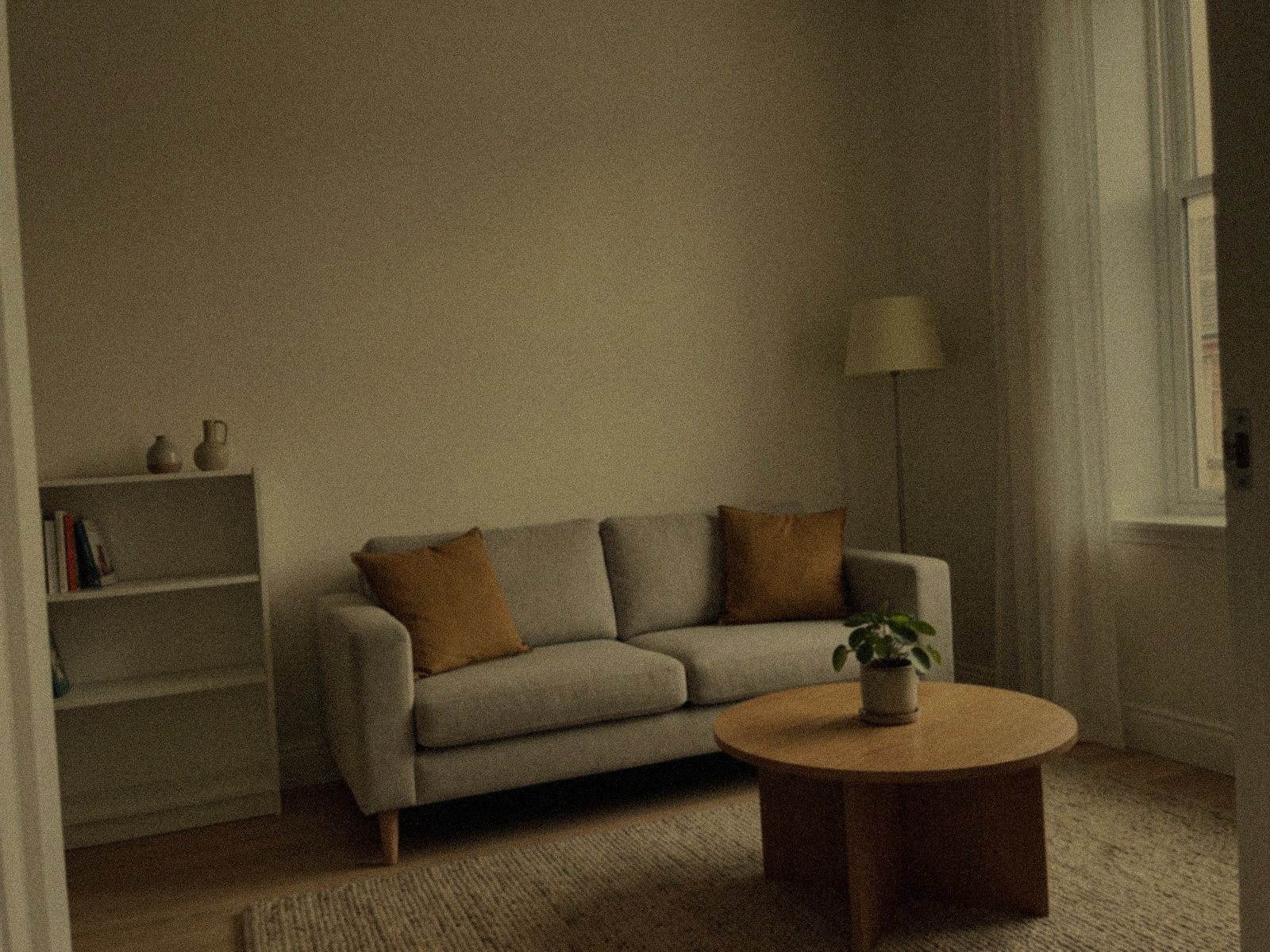
We made this photo ourselves for the test, so the room and the flat are not real. Everything after it is: on 3 November 2026 we sent it to our test agent on the default model and asked for the fixes in plain words, one message at a time.
Step 1. Fix light, colour, the horizon and grain
Name every problem you see and say what must not change. The agent works through the list and does not touch what you protected.
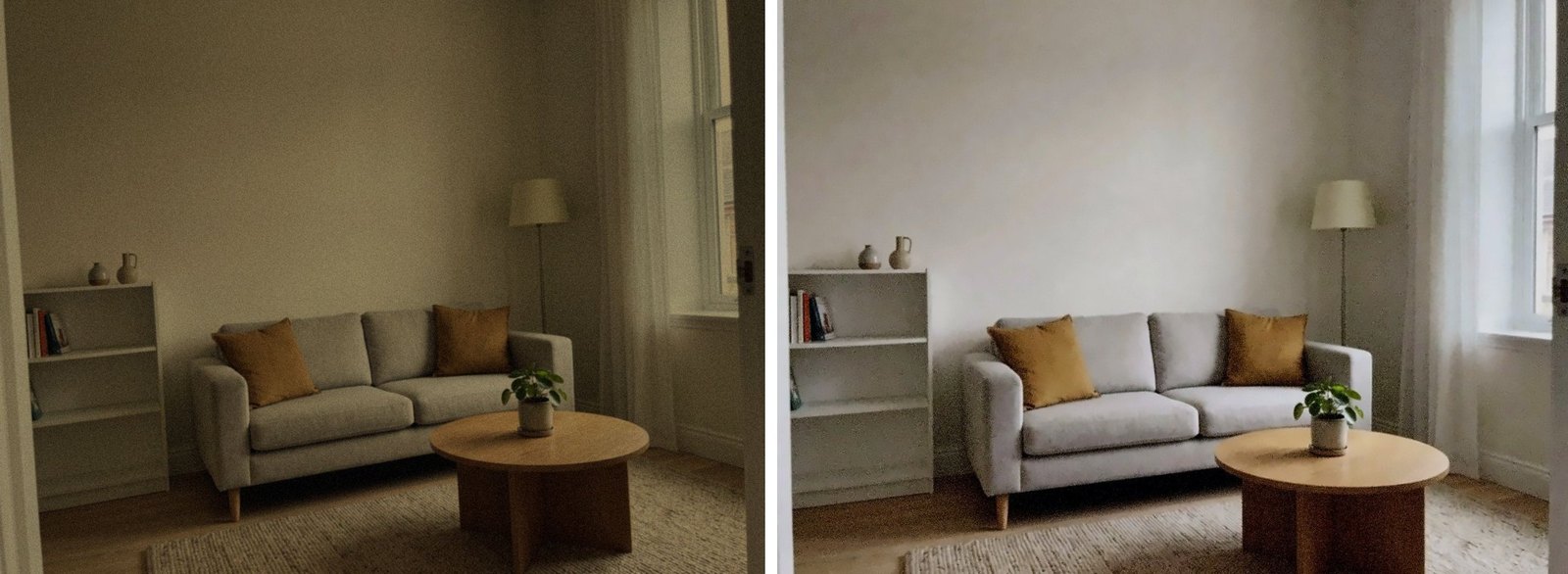
The fixed photo came back in five and a half minutes. Most of that time went into measuring: the agent checked how far the camera was rolled, what colour the walls really were and how heavy the grain was, and only then changed anything.
We checked the result with our own numbers. Average brightness went from 74 to 128 on a 0–255 scale. The yellow cast is gone: the red-to-blue balance of the picture dropped from 1.79 to 1.17, while the oak table and the mustard cushions stayed warm. We had tilted the original by 3.5° when we prepared the test, and the agent found “about 3°” and turned it back. Lines that should be vertical, like the lamp pole and the window frame, now stand straight.
Two details in the reply are worth keeping in mind. The agent left a little fine grain on purpose, because a photo with no grain at all looks plastic. And it closed with a practical note: listing sites scale photos to about 1,200 pixels, so this file, at 1,544 pixels wide, will look sharp there.
Step 2. Crop for the listing and for the thumbnail
A well-lit photo can still be badly framed. Here the strips of door frame on both sides make the picture look like it was taken through a gap, which it was. Say what bothers you, the format you need and what should be the focus.
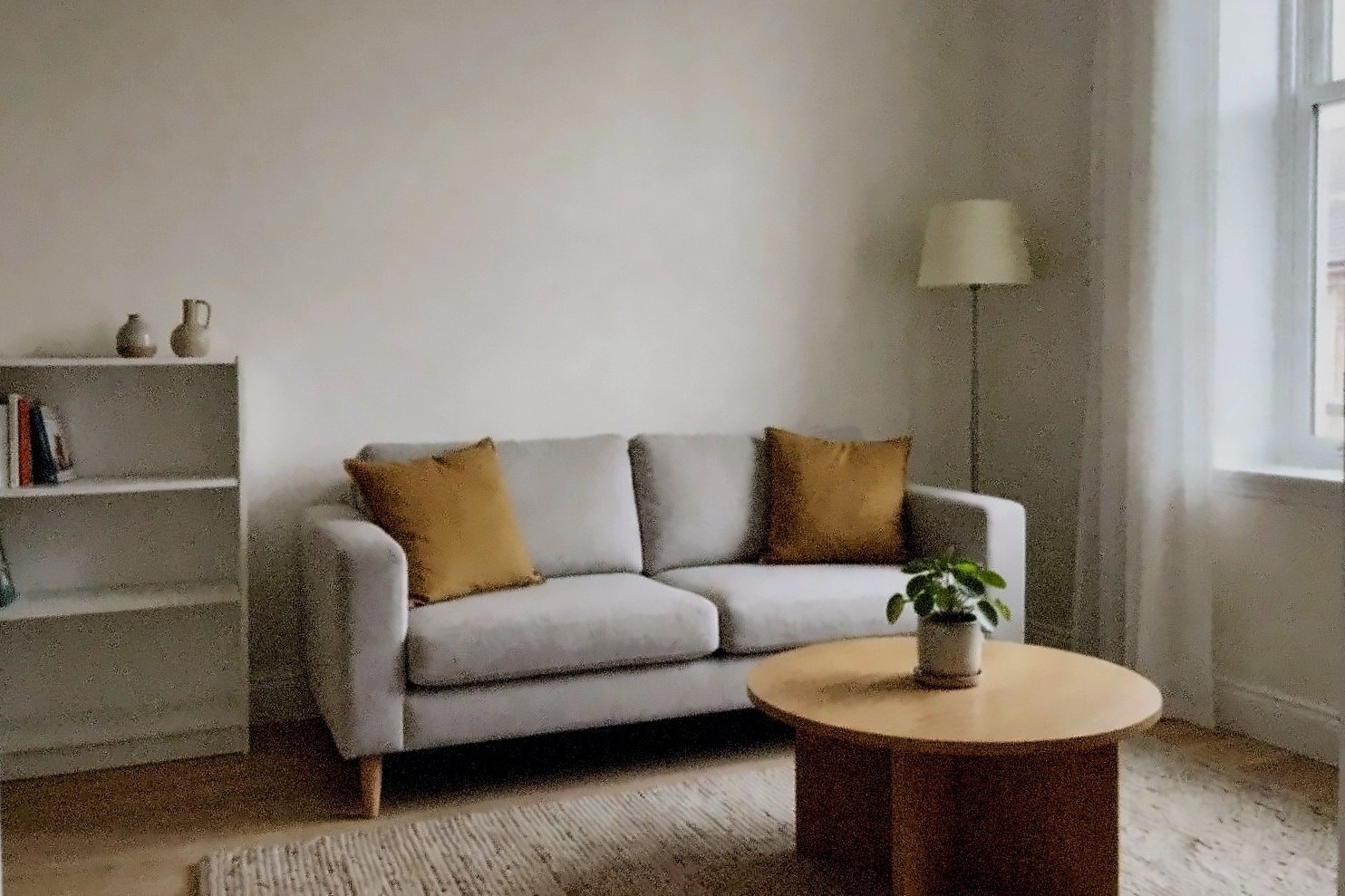
The 3:2 version is the one that goes first in the listing. The door frame is gone from both sides, and the empty ceiling at the top went with it, so the sofa and the table sit in the middle of the picture. The agent explained each cut in pixels: 30 from each side, 131 from the top. That kind of answer makes it easy to ask for a little more or a little less.
The square needs harder choices, and the agent said so: a square from a 3:2 photo has to lose a third of its width. Its first square kept the sofa and the lamp but cut the coffee table on the right. That is a judgement call, and the next step shows how fast it changes.
Step 3. Adjust the square and send the next room
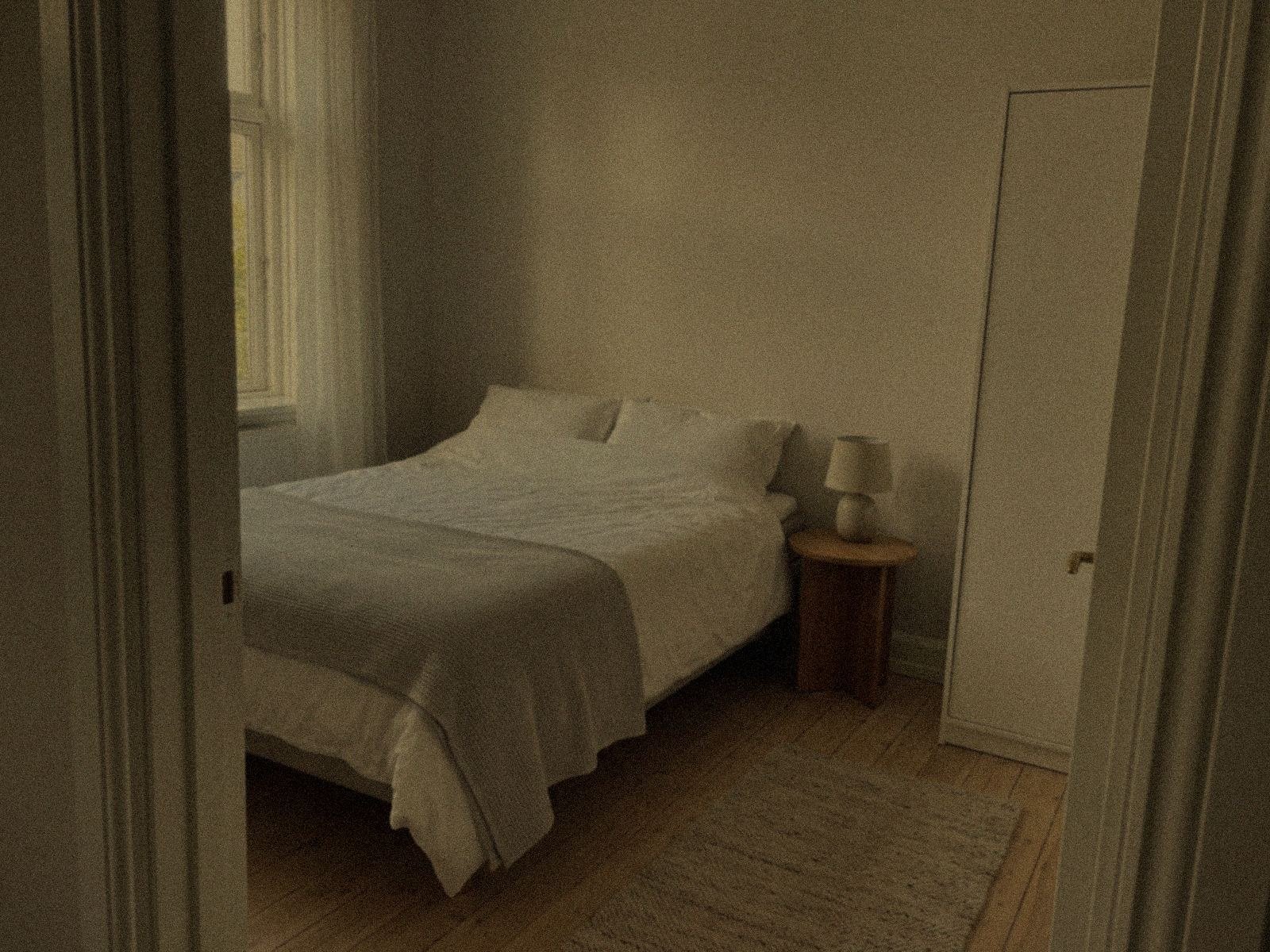
When one version is almost right, say exactly what to move. In the same minute Mira sent the bedroom from the same flat, with the same problems, and asked for the same treatment.
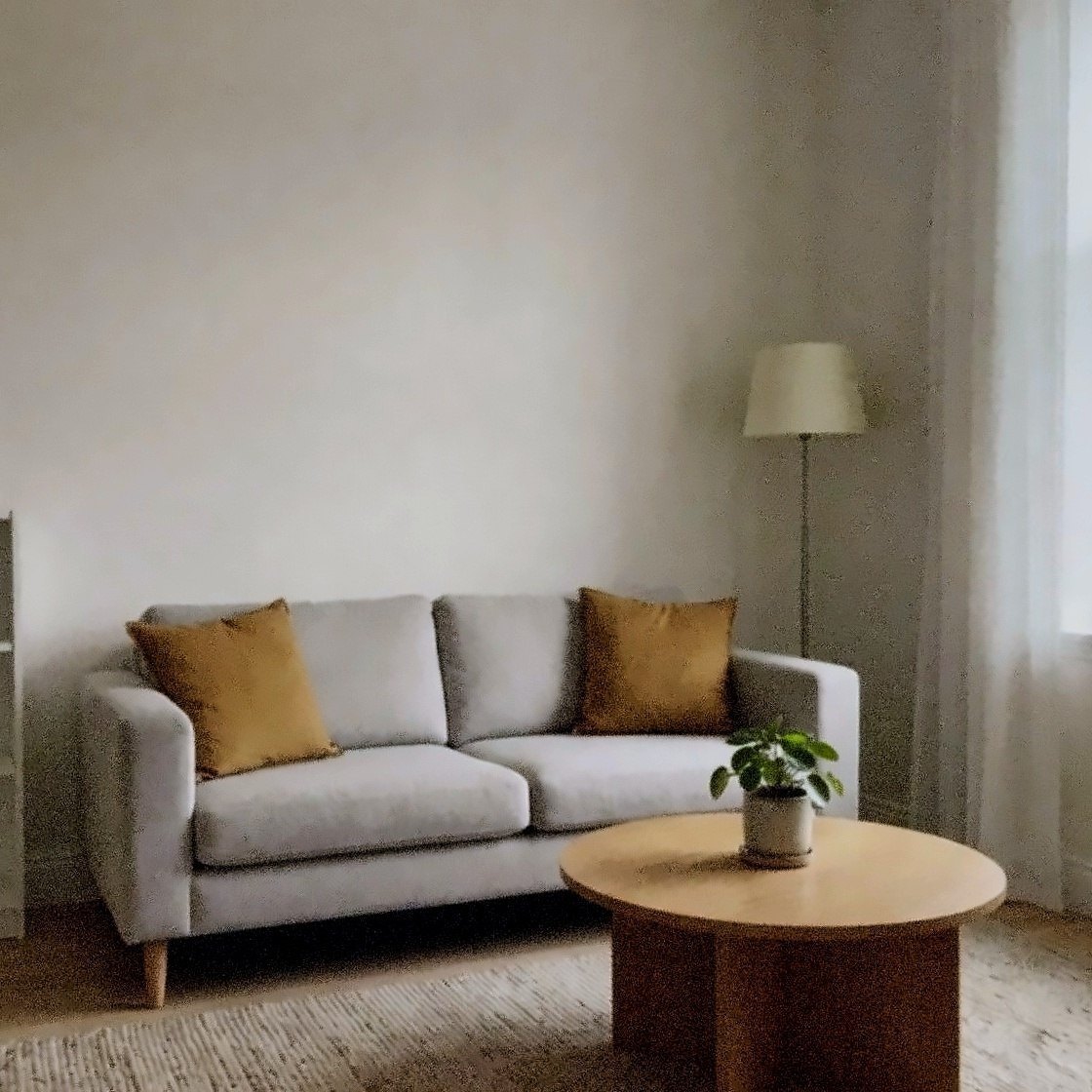
The square now holds the whole table and the plant. The agent moved the frame by 32 pixels and said what that cost: a little more of the shelf on the left. It also confirmed that the 3:2 version stays as approved, so one request did not quietly change another.
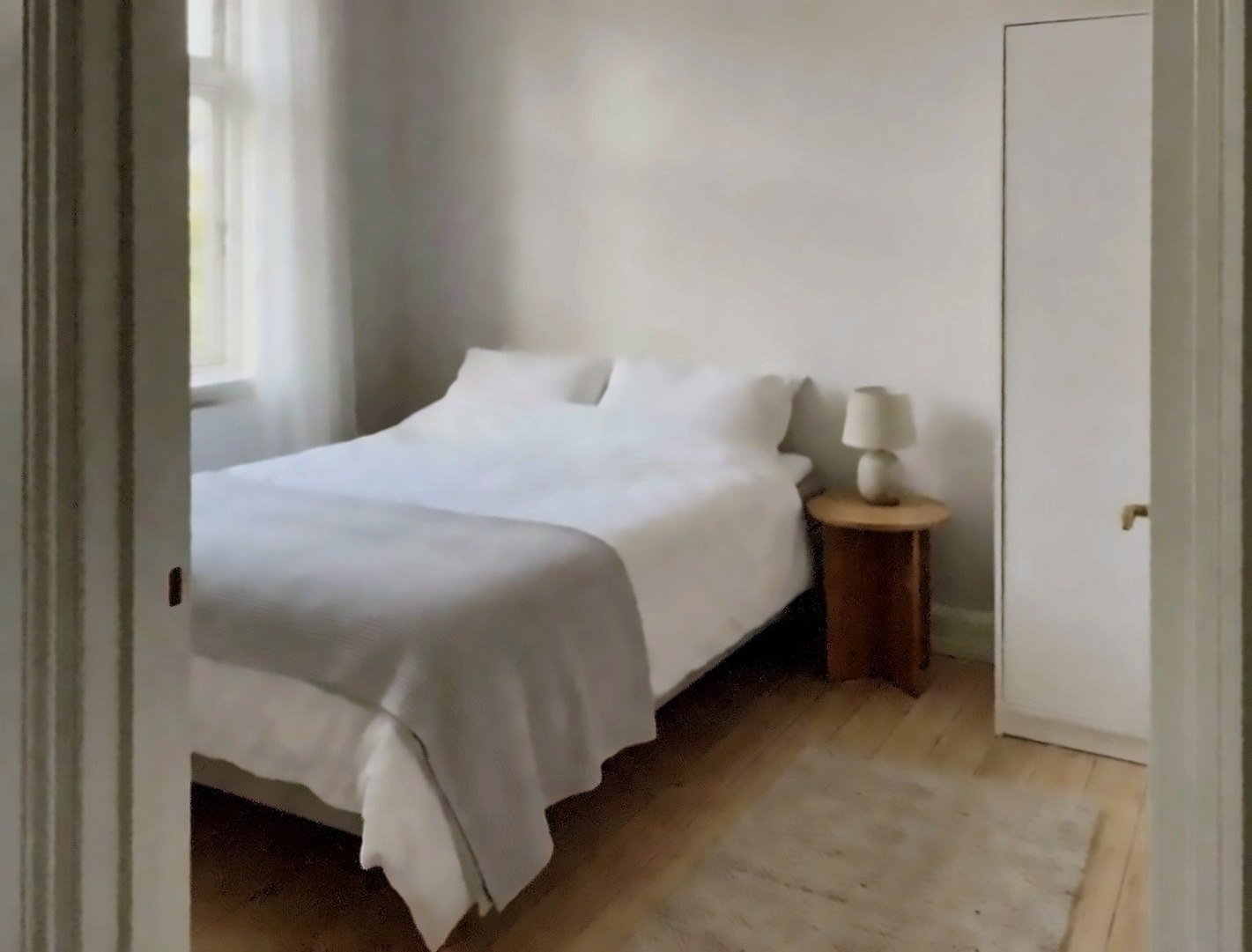
“Same treatment as the living room” was enough for the bedroom. The agent did not ask what that meant. It applied the same goals to the new photo and matched the brightness to the first room: we measured 130 against 128 on the same scale. For a listing this matters more than it seems. Rooms shot one after another look like one flat only when the light and colour match.
What Mira got from two phone photos
Four messages and about seventeen minutes of the agent's work turned two dusk shots into a set for the listing:
- the living room, bright, neutral and level, at almost the original size;
- a 3:2 crop of it without the door frame, for the first photo of the listing;
- a square thumbnail with the sofa, the lamp and the whole table;
- the bedroom with the same light and colour as the living room;
- a 3:2 crop of the bedroom, sent with it.
Each reply also said what had changed, in numbers: degrees of tilt, pixels cut from each edge, brightness before and after. Nothing to install, no sliders, no upload page. Mira wrote what she saw wrong with the photo, and the agent fixed exactly that.
How to ask for a better photo
The wording decides how much of your photo stays yours. A few habits from this test that work on any picture:
Name the faults you see. “Dark, yellowish, a bit crooked, grainy” is a complete brief. Each word becomes one correction, and the reply reports on each one.
Say “keep it real” out loud. “Don't add, remove or move anything” tells the agent to correct your picture rather than paint a nicer one. For a room, a product or a face, this line matters most.
Ask for formats by purpose and ratio. “3:2 for the listing, a square for the thumbnail” gets you two files ready to upload. Add the focus, “the sofa and the table”, and the crop is built around it.
Look at the edges of every crop. A crop decides what stays in the picture. Check the corners and the sides before uploading, and if something important is cut or a stray edge is left, say so in one message: our square took one sentence and a few minutes to fix.
Send the next photo with “same treatment”. Shots of one place should look like one place. Ask the agent to match the new photo to the one you approved, and it keeps the brightness and colour consistent.
Send the photo as a file when size matters. Telegram compresses ordinary photos. Sent as a file, up to 20 MB, the picture reaches the agent at full resolution, with every detail the camera caught.
Keep your original. Every fix starts from what the camera recorded. Save the photo as you took it, so you can ask for a different version later.
What stays with you
Your photos and the chat history stay in your agent's isolated container. To answer, the agent sends requests to the model: on the default model they go through DeepSeek's infrastructure in the People's Republic of China, which you confirm during onboarding, and on Pro you can attach your own Claude or Codex, so requests go to that provider under your own account. How the agent handles files, data and access is covered in Is an AI agent safe? 8 things to check before you let one into your chats.
What it costs
We read the balance in the agent's status line during the test. The first fix, with all the measuring, cost 34 . The two crops cost 24 . The reframed square together with the whole bedroom, fix and crop, cost 44 . That is about 100 for six finished pictures, roughly half of the Free plan's first month.
Reading a photo or screenshot you send costs 1.5 , the rest is the agent's work on the model. The first reply of a new session costs 3–4 , because the agent reads its whole setup, about 90,000 tokens. After that this part comes from the cache about 50 times cheaper, and plain text messages later in the conversation cost a fraction of a magnet. The Free plan gives 200 in the first month and 100 every month after, with no card. Pro costs $13.90 a month for 400 , or $1.39 for the first month if you subscribe within 7 days of signing up. All rates are on the pricing page.
If you need a picture that does not exist yet, rather than a better version of your own, see Free AI photo generator right in your chat: five photo jobs we tested and what the free plan covers.
Messages worth copying
This photo is dark, yellowish and a bit crooked. Make it brighter, with natural white walls and straight lines, and less grain. Keep it a real photo: don't add, remove or move anything.
Crop it to 3:2 for a listing with the sofa and the table as the focus, and make a square version for the thumbnail.
In the square the table is cut off on the right. Shift the frame so the whole table is in.
Here's the next room from the same flat. Same treatment as the first photo, and the 3:2 crop straight away.
Tell me what you changed in this photo, in numbers, so I can repeat it next time.
Create your agent, send it the photo you were not happy with, and say what is wrong with it in your own words.
Try it with your own agent
Free, no card. The agent starts working in the chat straight away.
Create your AI agentQuestions
Does it improve my photo or draw a new one?
It improves yours. In our test the agent changed exposure, colour, tilt and grain, then reported that no object was added, removed or moved. We checked: the sofa, the cushions, the plant and the books are the same as in the shot we sent, and the picture kept almost its full size, 1544 × 1120 from 1600 × 1200.
What exactly can it fix?
The usual faults of a phone photo: too dark, a yellow or blue cast, a tilted horizon or leaning walls, heavy grain, awkward edges. It can also crop to any format, 3:2 for a listing, a square for a thumbnail, 4:5 for a post, and repeat the same settings on the next photo from the same place.
Is it really free?
The Free plan gives 200 in the first month and 100 every month after, no card needed. In our test the first fix cost 34 , the two crops 24 , and the reframed square together with a second room 44 . That is about 100 for six finished pictures.
Will it make the room look fake?
Say “keep it real” and it stays real. Our agent left a little fine grain on purpose and explained why: removing all of it makes a photo look plastic. Walls became neutral white, while the wood and the mustard cushions kept their own colour.
How long does it take?
The first fix took about five and a half minutes, because the agent measured the photo before changing it. The two crops came in under three minutes. The square and the bedroom together took nine minutes.
Do I need an app or a website?
No. The agent starts in Telegram, and other messengers can be connected. You send the photo the way you would send it to a friend, and the improved version comes back in the same chat.