Chat case
AI for marketplace sellers: one phone photo turned into a listing, two buyer replies and three card pictures

A marketplace card has three jobs: the text that gets found, the answers that win the next buyer, and the pictures that get the click. We gave all three to our test agent with one phone photo of a water bottle and a list of facts. Below is the real chat: the listing it wrote, its replies to a buyer question and a 2-star review, and the three card pictures it made from the photo, with what each step cost.
The short answer
An AI agent can do most of a marketplace card for you from one phone photo. Send the photo with the facts you know, and it writes the title, the bullets, the description and the search keywords. Paste a buyer question or a bad review, and it writes the reply you post as the seller. Ask for card pictures, and it keeps your product and puts it on a white background, into a lifestyle scene or next to short lines of text.
The trick is the split of work. The photo tells the agent what the product looks like. Your facts tell it the numbers: size, weight, material, how long it keeps a drink cold. The agent turns both into text that sells and pictures that match. You read it once and publish.
In our test the whole card, text, two replies and three pictures, took five messages, about three minutes of the agent's time and around 80 . Everything below is the real chat.
The test: one bottle, one phone photo, one list of facts
On 31 October 2026 we ran this on our test agent. The seller is made up: Maya, who sells water bottles on a marketplace and is adding a new one, a sage-green steel bottle with a bamboo lid. The product is made up too, and so is its photo: we generated an ordinary kitchen-table shot, the kind of picture a small seller takes on a phone before there is any budget for a photographer.
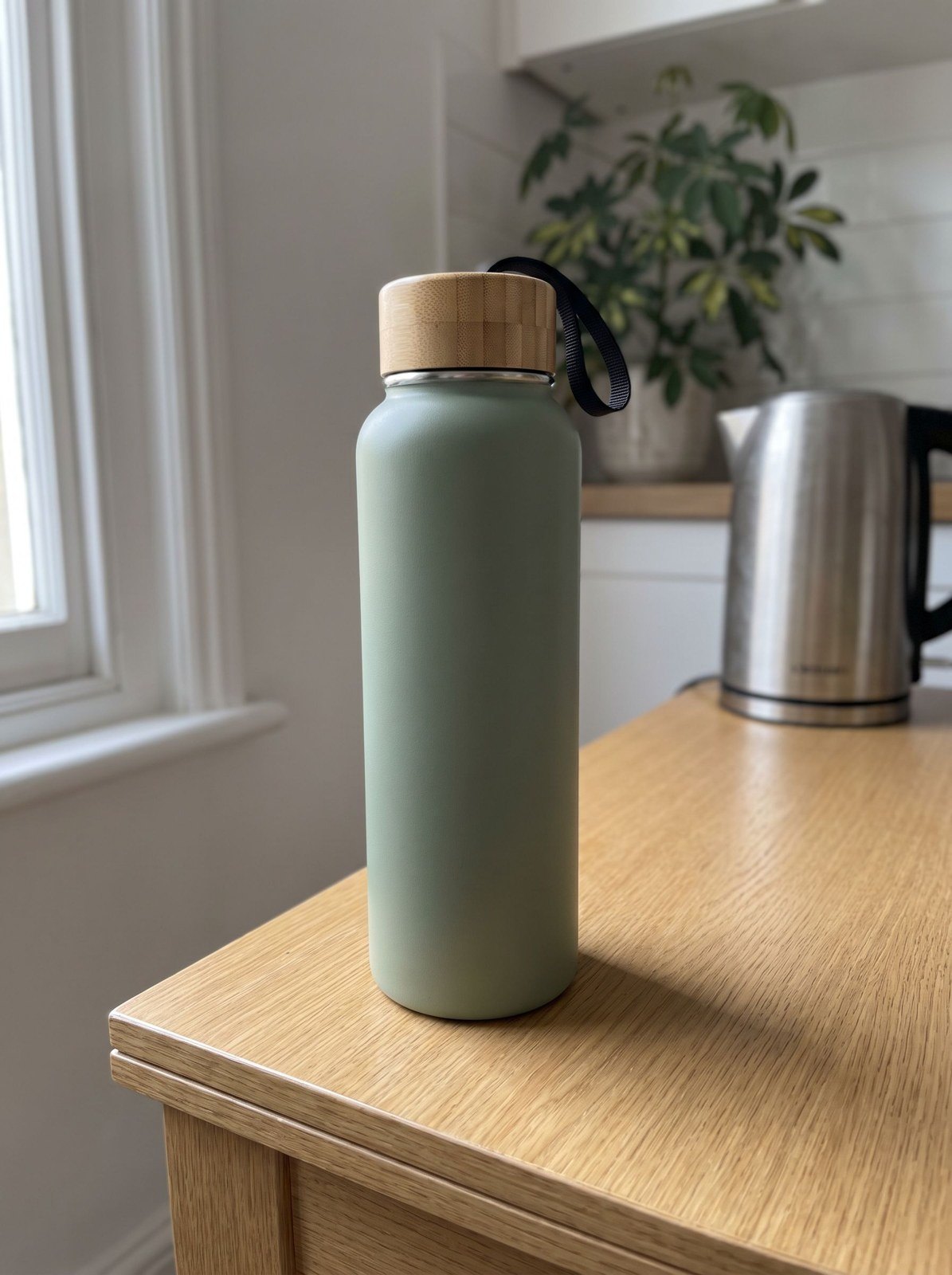
The agent ran on the default model, the one the Free plan uses. Every reply below is quoted as it arrived; we shortened nothing in the replies and changed no pictures. The marketplace is not named on purpose: Maya's limits, a 100-character title and five bullets, are the kind most marketplaces set, and the agent takes whichever you give it.
Step 1. Photo and facts in, listing out
Maya sent the photo and everything she knew about the bottle in one message.
30 seconds. The first line is worth noticing: before writing a word, the agent checked the photo against the facts. Matte body, bamboo lid, black loop, no print on the front. If Maya had mixed up two photos or two colours, this is where she would find out.
The listing itself is built the way marketplace search reads it. The title packs the main search phrase first, then the material, the lid, the loop and the colour, at exactly 100 characters. Each bullet opens with a fact and closes with what that fact means for the buyer: 380 g becomes “light enough to carry all day”, 24 hours becomes “water stays crisp through a long day”. The description repeats the key phrases in plain sentences and adds the uses a buyer types into search: office, gym, hike, school, a gift.
The keywords are the part sellers usually skip. These ten are the phrases a buyer types, “750ml water bottle”, “bamboo lid bottle”, “cup holder water bottle”, ready to go into the search terms field of the card.
One line is the agent's own reading of the photo: “powder-coated finish”. Maya never said it; the bottle simply looks matte. It is probably right, and it is still worth a check, because every word in a listing is a promise to the buyer. More on that in the tips below.
Step 2. A buyer question and a 2-star review
A listing is half of a card. The other half is what other buyers read under it: questions and reviews, and how the seller answered. Maya pasted two things from her older bottle listing.
33 seconds for both. The question got a straight “yes” with the numbers behind it, so the next buyer with a bike doesn't have to ask again. The review got the reply a careful seller writes on a good day: it agrees with what is true, gives a fix for the smell, explains the dent without arguing and offers a way to reach the seller.
Look at the last line, too. The agent wrote a replacement offer and then flagged it: drop it if it doesn't match your returns policy. A promise in a public reply is a promise to every reader, and the agent left that decision with Maya.
There is one sentence Maya should check before posting: “The insulation keeps working after a knock like that.” The agent wrote it as general knowledge about double-wall bottles. Maya knows her product; if she has seen a dented bottle lose its cold, she cuts the line. For more text jobs of this kind, from a payment reminder to a post in another language, see AI writing assistant in Telegram: five text jobs, from a payment reminder to a post in Spanish.
Step 3. The main picture: your product on white
The main picture is the one in search results, and most marketplaces want it plain: the product, a white background, nothing else. Maya asked for it from her kitchen-table photo, in the same chat.
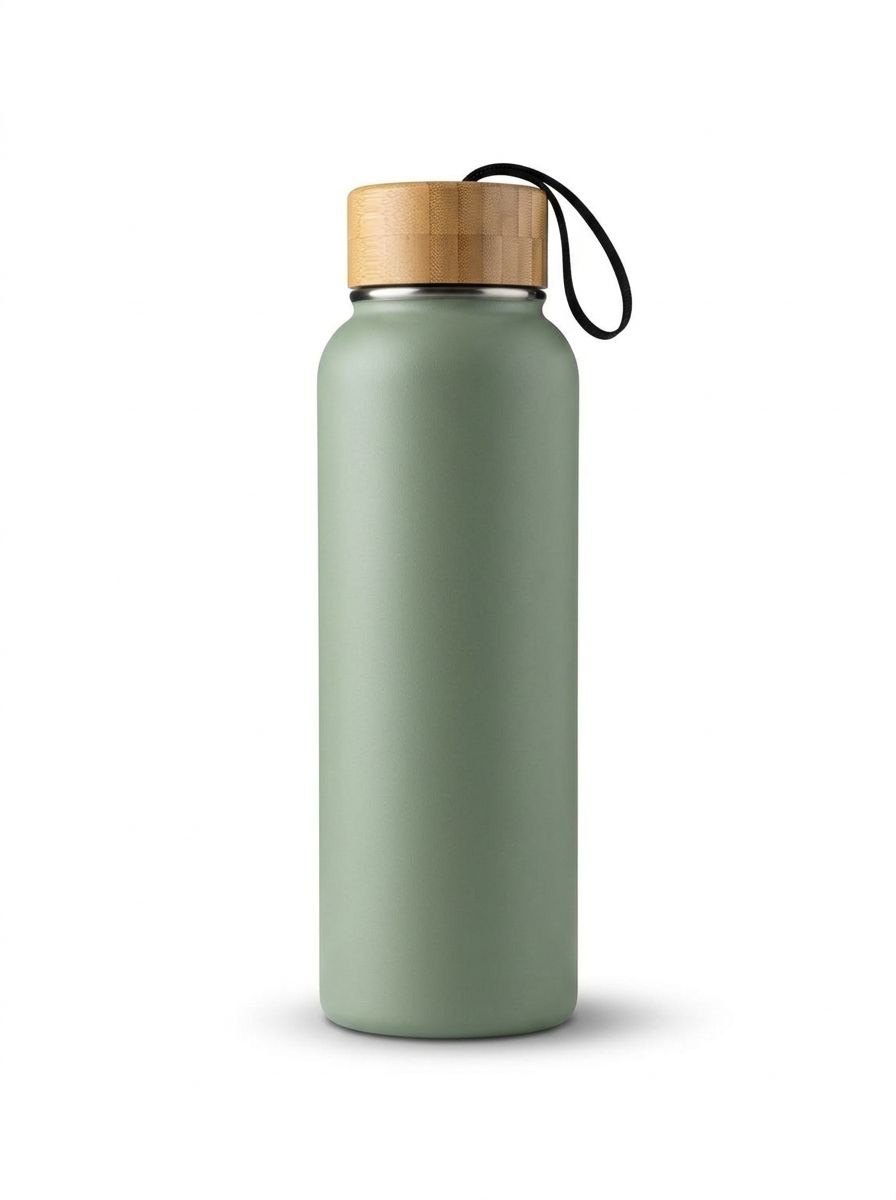
42 seconds from the request to the picture. The kettle, the plant, the table and the window light are gone. The bottle stays: the same matte sage green, the same bamboo grain on the lid, the steel ring under it, the proportions. It stands straight and centred, with the soft shadow that keeps a white-background product from looking pasted on.
The follow-up message is the one a seller should save. If the marketplace asks for a bigger file, the agent offers to upscale this exact frame instead of drawing a new one, because a new drawing can change small details. That is the right instinct for a product card, where the picture is a promise about the real thing.
Compare it with the phone photo in one detail: the loop. In Maya's photo it is a flat black strap; on white it is a thinner cord. A buyer who orders from the picture notices that kind of thing. One message fixes it, “make the loop a flat strap like in my photo”, and it is the reason to look at every generated picture next to the real product before it goes live.
Step 4. The lifestyle picture: the bottle in use
The second slot of a card usually shows the product in use, so the buyer can picture it in their own day. Maya described the scene she wanted.
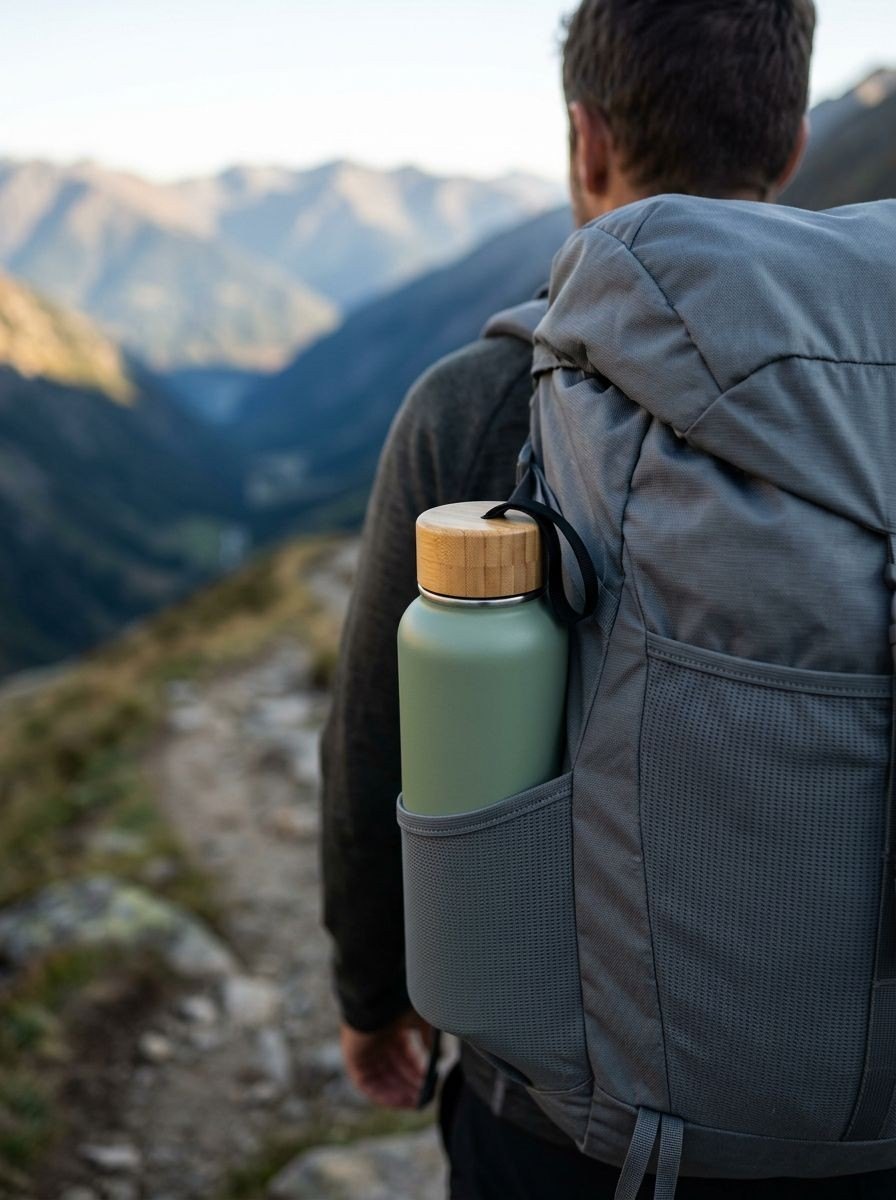
30 seconds. The bottle sits in the mesh pocket with the lid and the strap above the edge, sharp, while the valley behind falls into a soft blur. The hiker is seen from behind, so there is no face to worry about, and no logo on the pack, because Maya asked for none.
This picture answers “will it fit my backpack pocket?” before anyone asks. Every lifestyle picture is a question answered in advance. A cup holder, a gym bag, a desk at work: each is one more message to the agent and about 20 .
If your product photo has clutter you want gone but the scene is fine, the agent can edit the photo itself instead of making a new scene: remove a cable, change the light, swap the background. That is shown step by step in Edit a photo with AI right in the chat: one phone shot, three edits, before and after.
Step 5. The infographic: three numbers next to the bottle
The third slot on many cards is a picture with the key numbers, readable in a second on a phone. Maya sent the main picture back and described the layout she wanted, down to where the text goes.
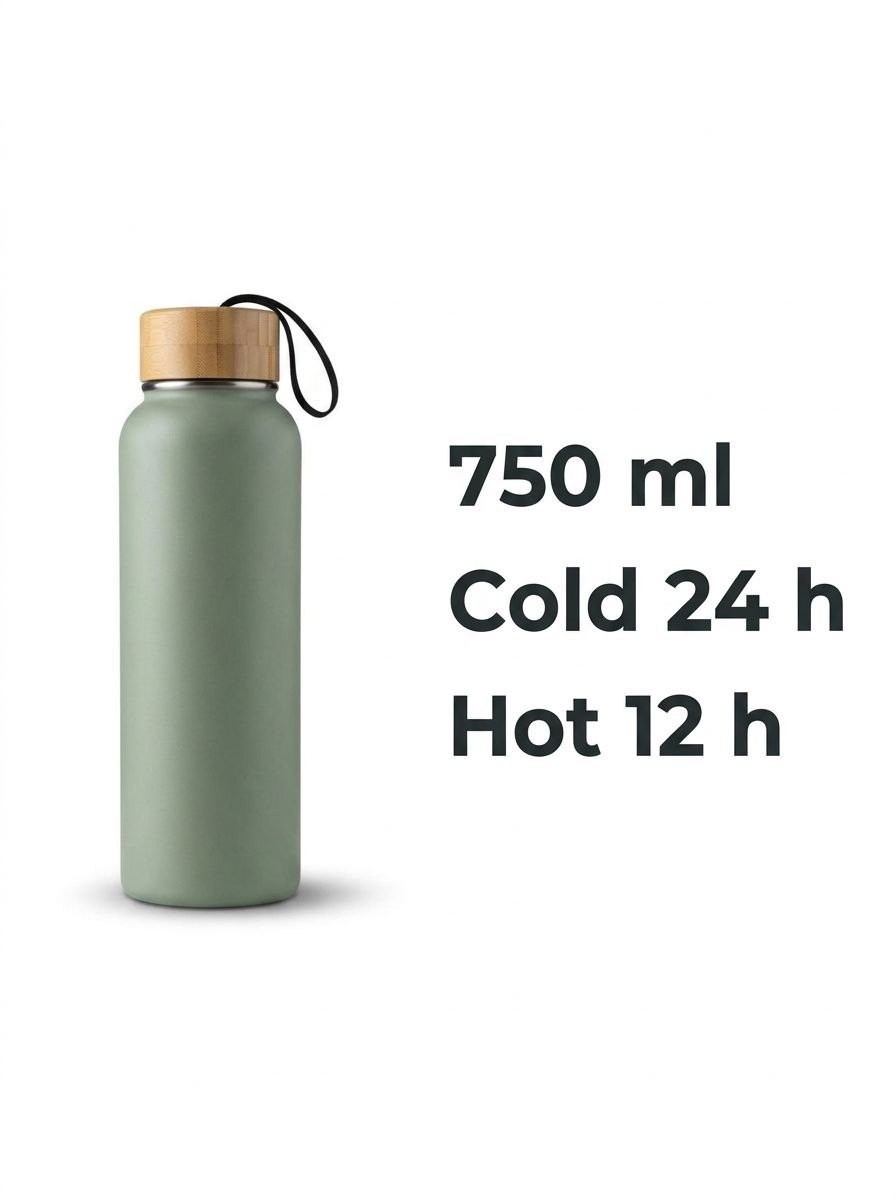
35 seconds. The bottle is the same one as on the main picture, smaller and on the left; the three lines sit on the right in a bold font, spelled exactly as Maya wrote them, with clear white space between. Every character is right. Numbers on a card are what buyers compare, so read each one before upload, on this picture and on any other.
The layout in the request did the heavy lifting. “Left half”, “right half”, “wide margin, nothing touching”: three plain phrases, and the picture has nothing to guess. A sentence about spacing in the first message saves a second round.
The agent ended with two questions a designer would ask: keep the soft shadow or go fully flat, and make the text bigger for phones? Both are one-word answers, and both are the kind of choice that should stay with the seller.
For more on how a picture description works, what to name and in what order, see AI photo prompt: one idea described three ways, three pictures back, and a prompt you can reuse.
What Maya got from one photo
| Part of the card | What Maya sent | What came back | Agent's time |
|---|---|---|---|
| Title, bullets, description, keywords | The phone photo and eight facts | A 100-character title, 5 bullets, a description, 10 search phrases | 30 s |
| Answer to a buyer question | The question and the width of the bottle | A “yes” with the numbers, ready to post | 33 s, both replies |
| Reply to a 2-star review | The review | A reply that agrees, gives a fix and offers contact, with a flag on the promise | |
| Main picture | “Same bottle on pure white, 3:4” | The bottle from the photo on white, centred, with a shadow | 42 s |
| Lifestyle picture | The scene in one sentence | The bottle in a backpack pocket on a mountain trail | 30 s |
| Infographic | The main picture, three lines and the layout | The same bottle with 750 ml, Cold 24 h, Hot 12 h | 35 s |
A card that a seller usually builds over an evening, with a copywriter for the text and a photographer for the pictures, came out of one chat. Maya's own work was the photo, the facts and reading the results once.
Tips that save a returned order
Give the agent every number a buyer checks. Size, weight, material, what is in the box, how to wash it. The photo shows the look; 380 g and 24 hours come from you. Everything you leave out, the agent either skips or fills with what the photo suggests, like the powder-coated finish in step 1.
Read the listing once as a buyer who will return the item. Look for any word you would not stand behind: a material, a feature, a use. It takes a minute, and it is your name on the card.
Put the marketplace's rules in the first message. Title length, number of bullets, picture shape, white background or not. The agent fits the text to the numbers you give: Maya asked for 100 characters and got exactly 100.
Look at every picture next to the real product. The loop, the lid, the colour, the logo. In our main picture the flat strap came back as a thin cord. Small, and one message fixes it, but a buyer orders the thing in the picture.
Keep the replies short and keep the promises yours. The agent flagged its own replacement offer for a reason. A reply under a review is read by every next buyer, so promise only what your returns policy covers.
Keep one chat per product. The agent remembers the bottle, the facts and the pictures inside the chat, so the next request, “a picture with a cup holder”, “the title in a shorter version for ads”, is one line. Start a new product with a new topic, so the details don't mix.
What stays with you
Your photos, facts and chat history stay in your agent's isolated container. To answer, the agent sends requests to the model: on the default model they go through DeepSeek's infrastructure in the People's Republic of China, which you confirm during onboarding, and on Pro you can attach your own Claude or Codex.
What it costs
We read the balance before and after each step. The listing, with the photo read at 1.5 , took about 4 , and both replies about 1 : text is cheap, 20 000 tokens on the default model cost 1 . Each of the three pictures took 23–27 with the reply, in line with the pricing page's 20 for an image on the default model plus 1.5 when the agent reads a photo first. The whole card came to about 80 .
The Free plan gives 200 in the first month and 100 every month after, no payment card needed. That is two full cards like Maya's in the first month with room to spare, and the text side alone, listing plus replies, is a few magnets per product. Pro costs $13.90 a month with 400 , or $1.39 for the first month if you subscribe within 7 days of signing up, and Pro adds magnet packs for a busy month. All rates are on the pricing page.
If you sell more than bottles and want the agent on the rest of the week too, supplier messages, a weekly summary, posts, see AI agents for small business in plain words: three jobs from a flower shop's week, before and after.
Messages worth copying
Here is my product photo. Write the listing: a title up to [N] characters, [N] bullet points, a description of about [N] characters and 10 search keywords buyers would type. Facts: [size, material, weight, care, colour, what is in the box].
A buyer asks: "[question]". The fact: [the number or detail]. Write a short, friendly reply I can post as the seller.
Here is a [N]-star review: "[review]". Write a reply I can post: short, friendly, no excuses, useful for the next buyers. Don't promise anything about refunds.
Use my product photo: the same product on a pure white background, centred, soft shadow, vertical 3:4, no text, no props.
A second picture for the card: the same product [in use, where], [light]. Vertical 3:4, no text, no logos.
Create your agent, send it the photo you already have, and let it write the card while you pack the next order.
Try it with your own agent
Free, no card. The agent starts working in the chat straight away.
Create your AI agentQuestions
Can AI write a product description from a photo?
Yes. Send the photo with the facts you know: size, material, what is in the box, care. In our test the agent read the photo, checked it against the facts and returned a title, five bullets, a description and ten search keywords in 30 seconds. The photo gives the look, the facts give the numbers.
Will the agent make up product details?
It works from what you send and adds the obvious: in our test it described the finish as powder-coated because the bottle looked matte. Read the listing once against the real product before you publish, and give it every fact a buyer checks: size, weight, material, care.
Can it answer buyer questions and bad reviews?
Yes. Paste the question or the review with the one fact that matters, and ask for a reply you can post as the seller. In our test both replies came back in one message in 33 seconds, short, friendly and written for the next buyer reading them.
Can it make card pictures from my own product photo?
Yes. It keeps your product and changes the scene: a pure white background for the main picture, a lifestyle scene for the second slot, a picture with short lines of text for the third. In our test all three kept the same bottle, lid and colour as the phone photo; the flat strap came back as a thin cord on two of them, a detail worth one more message.
Which marketplaces does this work for?
Any. The agent writes to the limits you give it: title length, number of bullets, picture shape. Tell it the marketplace and its rules in the first message, and it fits the text and the pictures to them.
How much does one product card cost?
In our test the listing and both replies took about 5 , and each of the three pictures 23–27 , around 80 for the whole card. The Free plan gives 200 in the first month, enough for two cards like this, and 100 every month after, no payment card needed.